
21.09: November 2021 Update
Hello! We're excited to announce the improvements included in the November 2021 update of Backend.AI 21.09 / Enterprise R2!
This is a consolidated update released every six months. Major bug fixes and key feature improvements are also reflected in Backend.AI 21.03 / Enterprise R2.
Please note that versions 20.09 and earlier will no longer receive updates, except for critical security patches for currently active customers.
- Manager: 21.09.0 / 21.03.xx
- Agent: 21.09.0 / 21.03.xx
- Common: 21.09.0 / 21.03.xx
- Client SDK: 21.09.0 / 21.03.xx
- Storage-Proxy: 21.09.0 / 21.03.xx
- WebServer: 21.09.0 / 21.03.xx
- WebUI: 21.03.9 / 21.09.0
- WSProxy: 21.07.0
- Control Panel: 21.03.2
New Hardware Platform Support
Native Execution in ARM64 (aarch64) Environments (21.09)
You can now run Backend.AI clusters natively in ARM64 environments (Linux, macOS).
Verified environments include Ubuntu 20.04 on AWS EC2 Graviton2 processors and Apple Silicon-based macOS Big Sur.
On macOS, ARM64 Linux containers can be used via Docker Desktop.
In the future, we plan to support mixed-node scheduling (ARM64 and x86-64) and native execution without Linux containers, enabling broader support for devices like the Jetson Nano and CoreML-based processing on macOS.
High-Speed Network Auto-Detection and RDMA Support (21.09 / 21.03)
If your infrastructure includes Mellanox InfiniBand network equipment, Backend.AI can now automatically detect it and enable high-speed distributed acceleration across nodes.
If a compatible network interface is found, relevant devices are automatically mounted to the user’s session container.
Additionally, if the Mellanox OFED driver is installed on the GPU node and the NCCL library is available in the kernel image, you can utilize RDMA for remote GPU communication.
NetApp Storage Integration (21.09)
We have added NetApp backend integration to the Storage-Proxy, offering real-time statistics and enhanced monitoring capabilities for NetApp storage users.
NetApp-specific accelerated I/O commands are also supported, improving performance when handling files in data folders (vfolders).
Features for Administrators and Developers
Statistics Dashboard (21.09 / 21.03, Enterprise Only)
A dedicated dashboard service for statistics and real-time performance monitoring is now available for enterprise users.
This allows you to track real-time resource usage per node and container, GPU utilization, and overall system health.
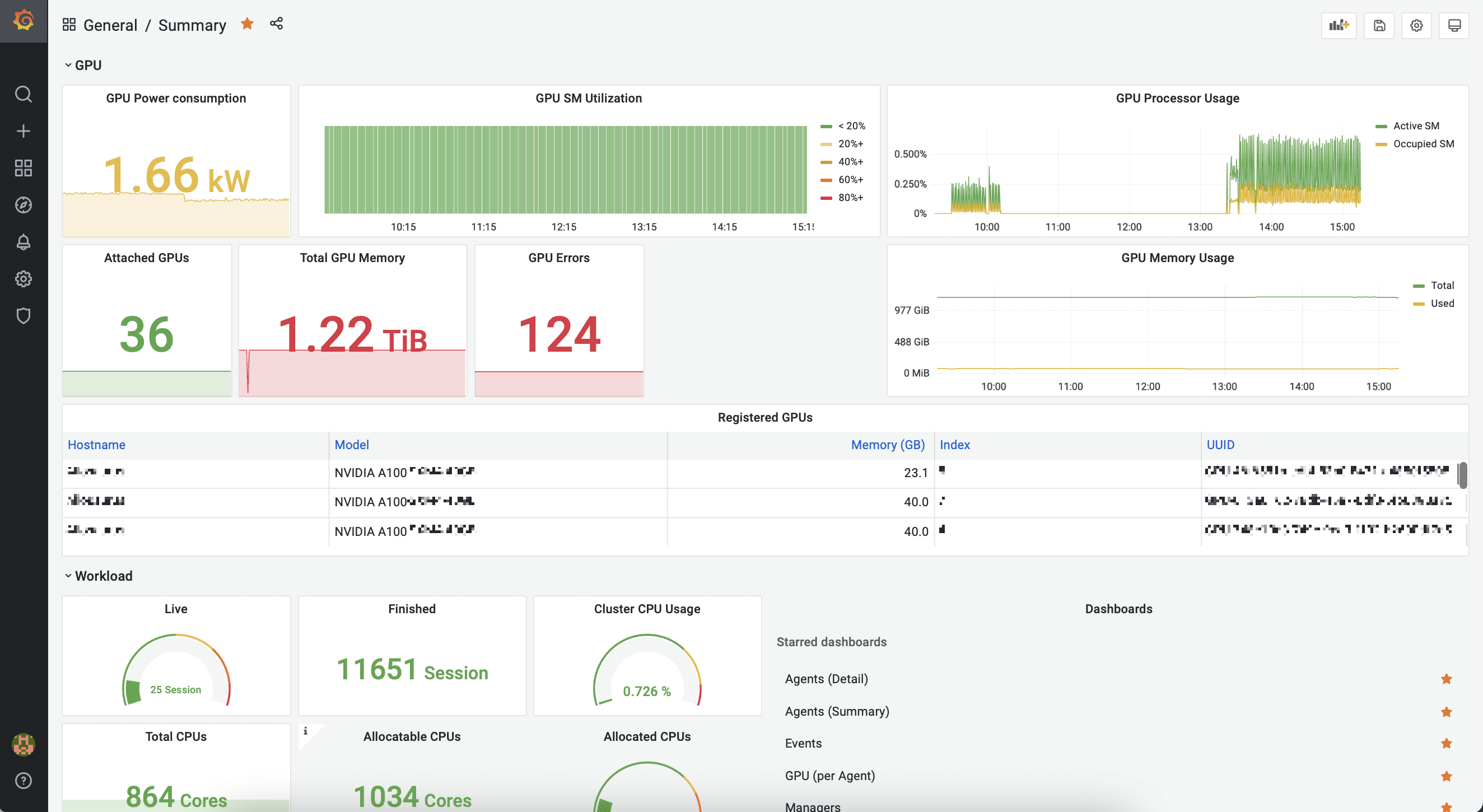
Dashboard for Enterprise: Main Screen
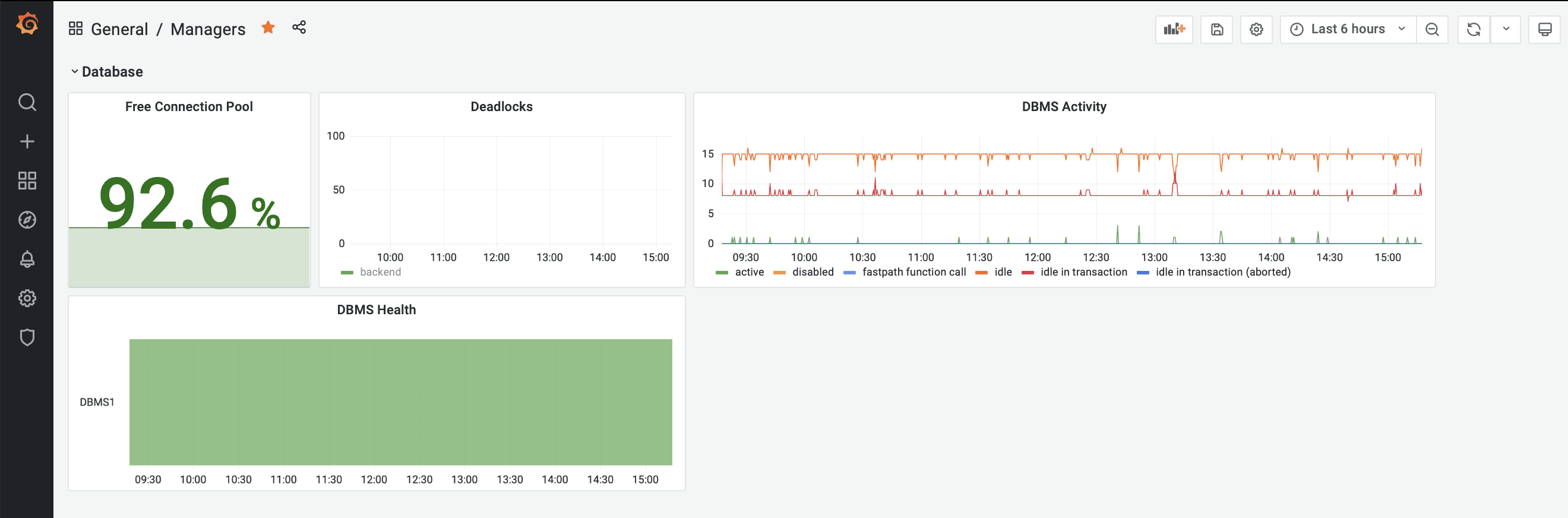
DBMS Usage (Last 6 Hours)
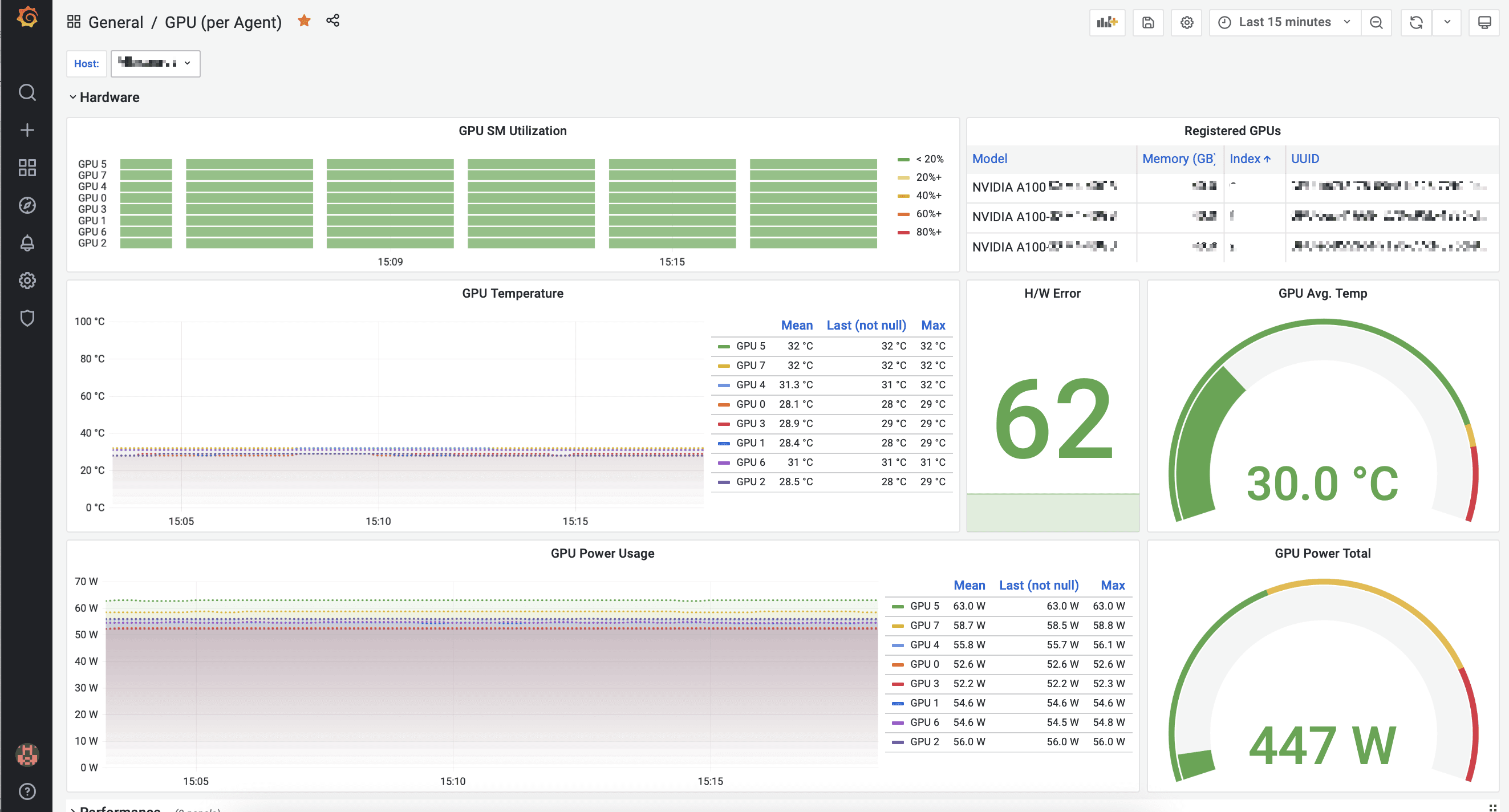
GPU Usage by Agent (Last 15 Minutes)
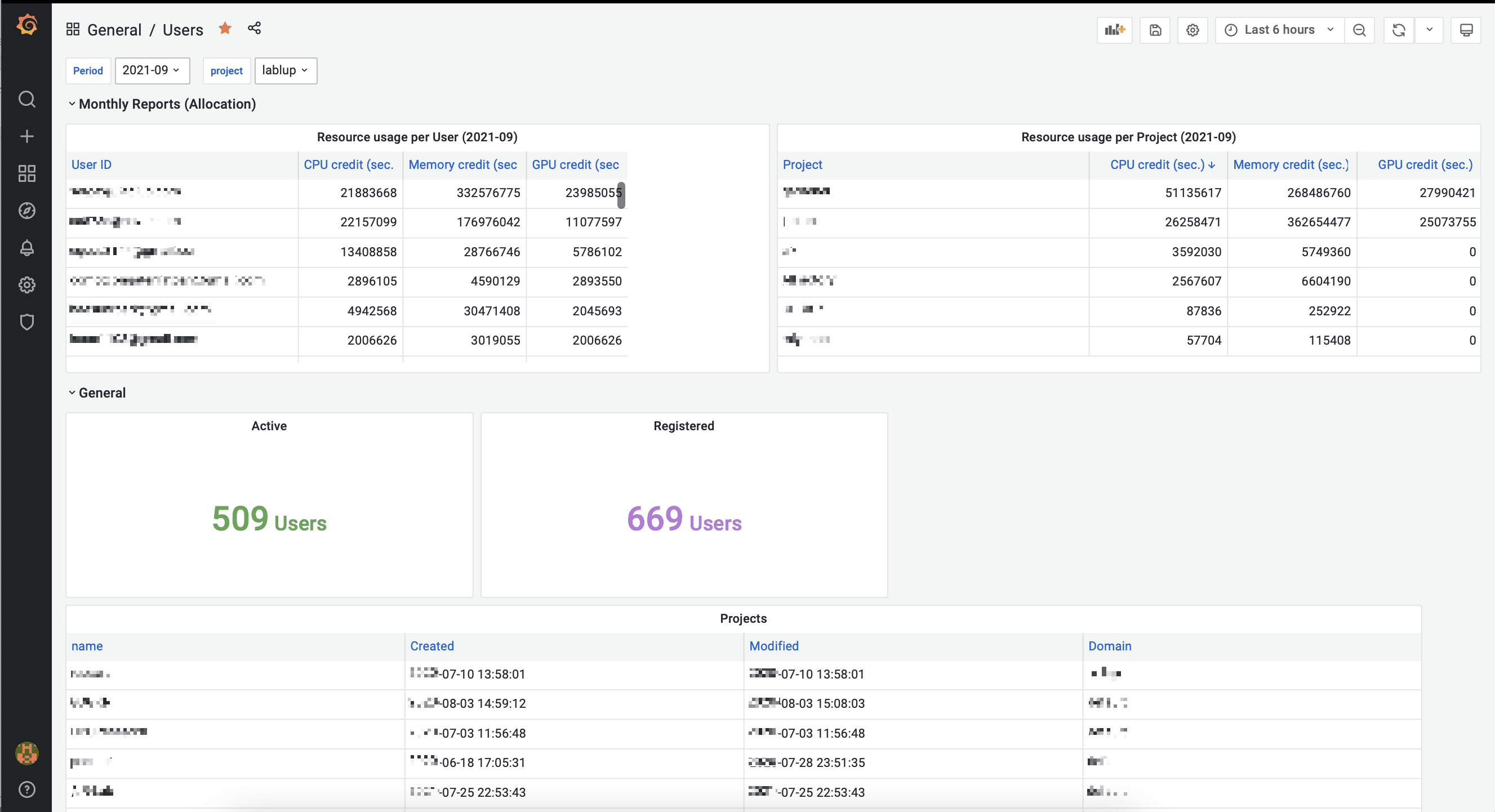
Resource Usage by User (Last 6 Hours)
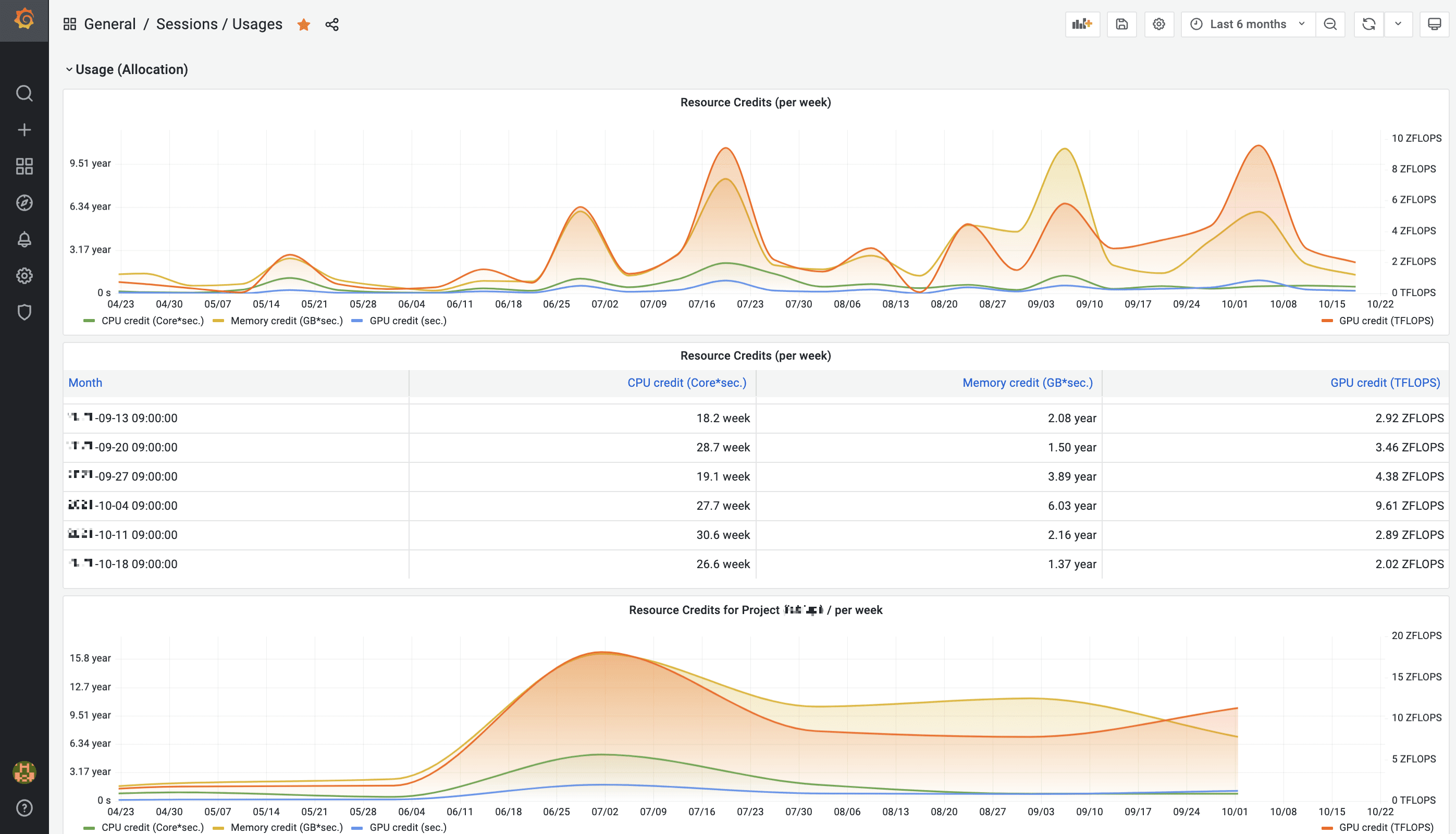
Resource Usage by Session (Last 6 Months)
General Features for Users
Progress Display for Image Downloads (21.09)
Backend.AI supports automatic image downloads during session creation when needed.
This update introduces SDK/API functionality to track download progress and updates the CLI to display it. GUI support is coming soon.
Enhanced CLI Command Structure and JSON Output Support (21.09)
CLI commands in the official Client SDK have been refined for consistency and clarity.
Administrative subcommands under backend.ai admin have been reorganized by topic with singular nouns (e.g., scaling-group, agent) and standardized actions (list, info).
Common user commands like run, start, and rm remain available as shortcuts.
Most query commands now support a global --output=json option for easier scripting.
Example:
backend.ai --output=json session list --status=runningAllowed Image List Display
As a foundation for project/user-specific image filtering, this feature displays only the permitted image list in the session launcher. It will also support per-user image visibility within a shared registry, enhancing environment configuration flexibility.
Overlay Network Configuration
Backend.AI supports overlay networks (virtual networks over physical networks) to enable distributed Docker clusters and session creation. Administrators can now configure overlay network parameters, including the Maximum Transmission Unit (MTU), optimizing data transfer speeds between nodes.
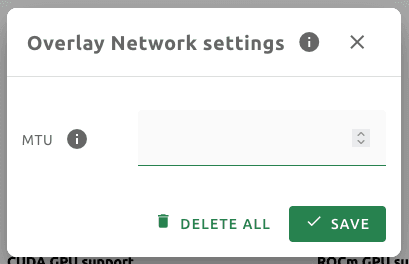 Overlay Network Settings UI
OpenMP and BLAS Environment Configuration
Users can now tune multi-threading performance during session creation by setting environment variables like OMP_NUM_THREADS.
This enables performance optimization for multi-threaded workloads using OpenMP or BLAS.
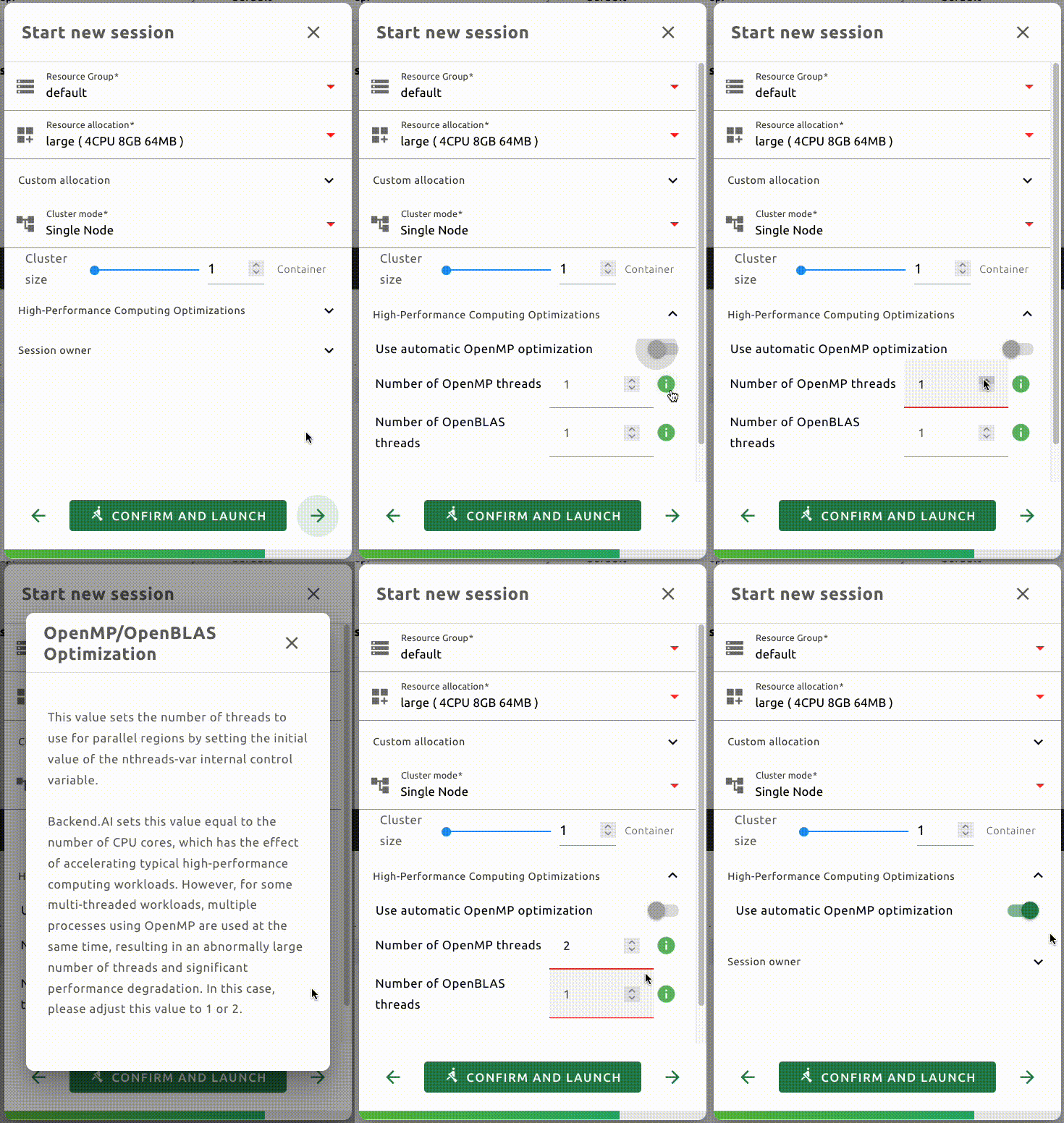 UI for setting OpenMP and BLAS environment variables
Per-Folder Quota (Capacity Limit)
Note: This feature is available only on file systems with per-directory quota support (e.g., XFS). On general file systems, support is limited due to I/O overhead concerns.
Admins can set capacity limits per folder within a volume. By default, this follows the maximum limit defined in the user’s keypair policy, with the ability to reduce the limit as needed.
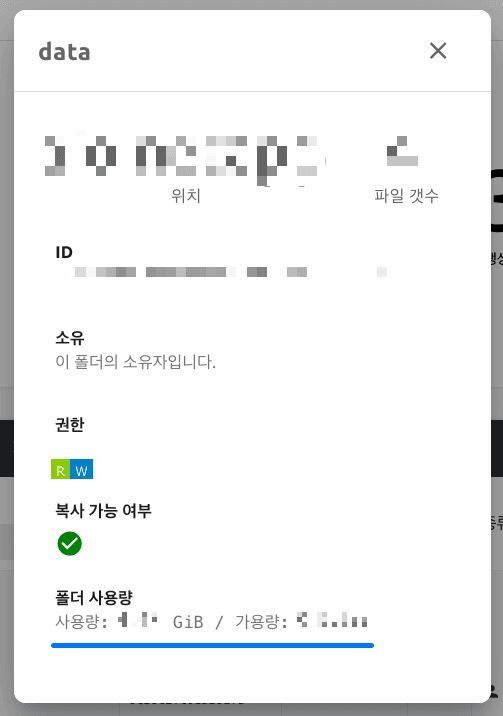 Capacity info in folder details
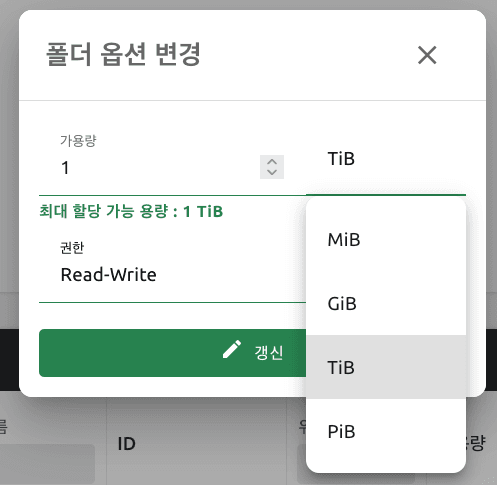 Quota setting UI in folder options
WSProxy – Direct App Service Connection Between Containers
WSProxy now supports direct connections between the user's browser and app services (e.g., Terminal, Jupyter, VSCode) inside containers.
Previously, connections followed an indirect relay path:
[WSProxy → WebServer → Manager → Container]
With the v2 API, direct connections [WSProxy → Container] improve response times and reduce overhead.
In environments where direct access isn't possible, the v1 path remains available.
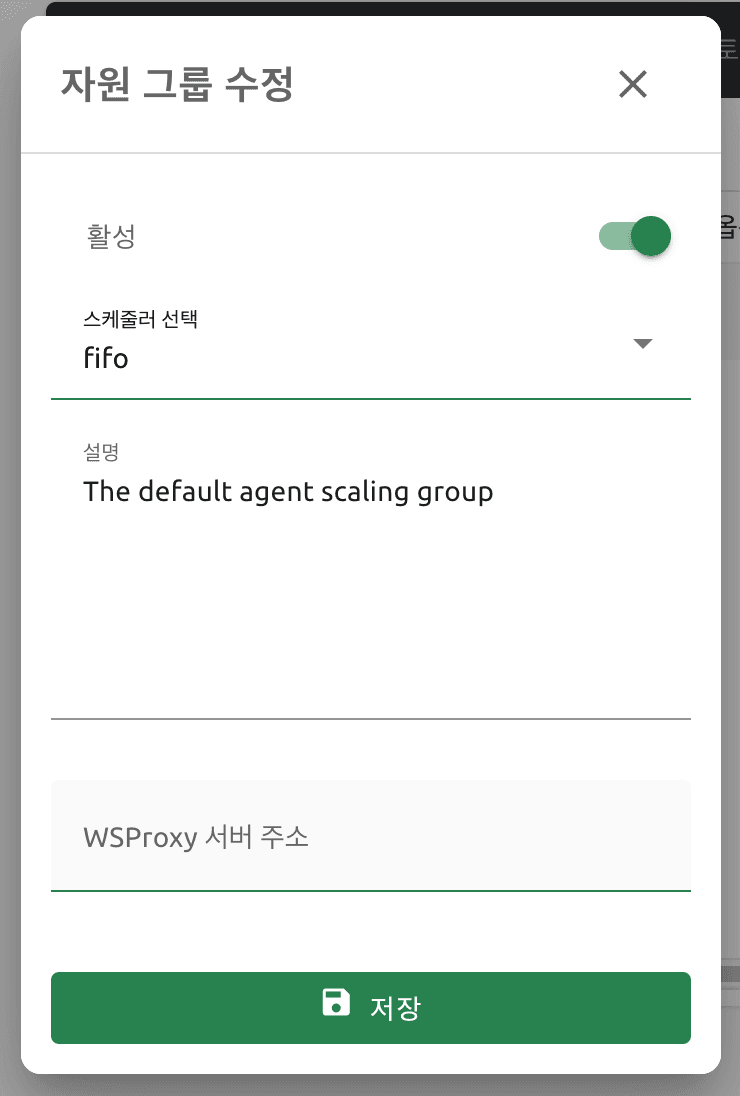 Admin UI to configure WSProxy address per resource group
New Multilingual Interfaces (21.09 / 21.03)
New language support includes Mongolian and Indonesian.
Other UI and Usability Improvements
- Adjusted margin for the force-quit button
- Resized image dropdown in the session launcher
- Displayed access/secret keys for logged-in users
- Disabled storage icon if no storage data is available (admin)
- Standardized widths for session and resource panels
- Made session page’s resource panel responsive
- Updated Help link
- Added folder name filter
- Concealed sensitive info in logs
- Added registry configuration UI
- Standardized padding on all pages
- Removed duplicate scrollbars in dialogs
- Fixed folder list refresh issue
Development and Research Framework Support
Updated Base Image with Python 3.9 and Ubuntu 20.04
The default Python environment now uses CPython 3.9 and Ubuntu 20.04.
TensorFlow 2.6 / 2.7 with CUDA 11.3 Support
Support has been added for TensorFlow versions 2.6 and 2.7 with CUDA 11.3.
