An interface that lowers the barrier to GPU operations
Manage thousands of GPU servers from a single point of control.

Product Tour
See every screen in action
Explore the key interfaces that make GPU infrastructure management intuitive.
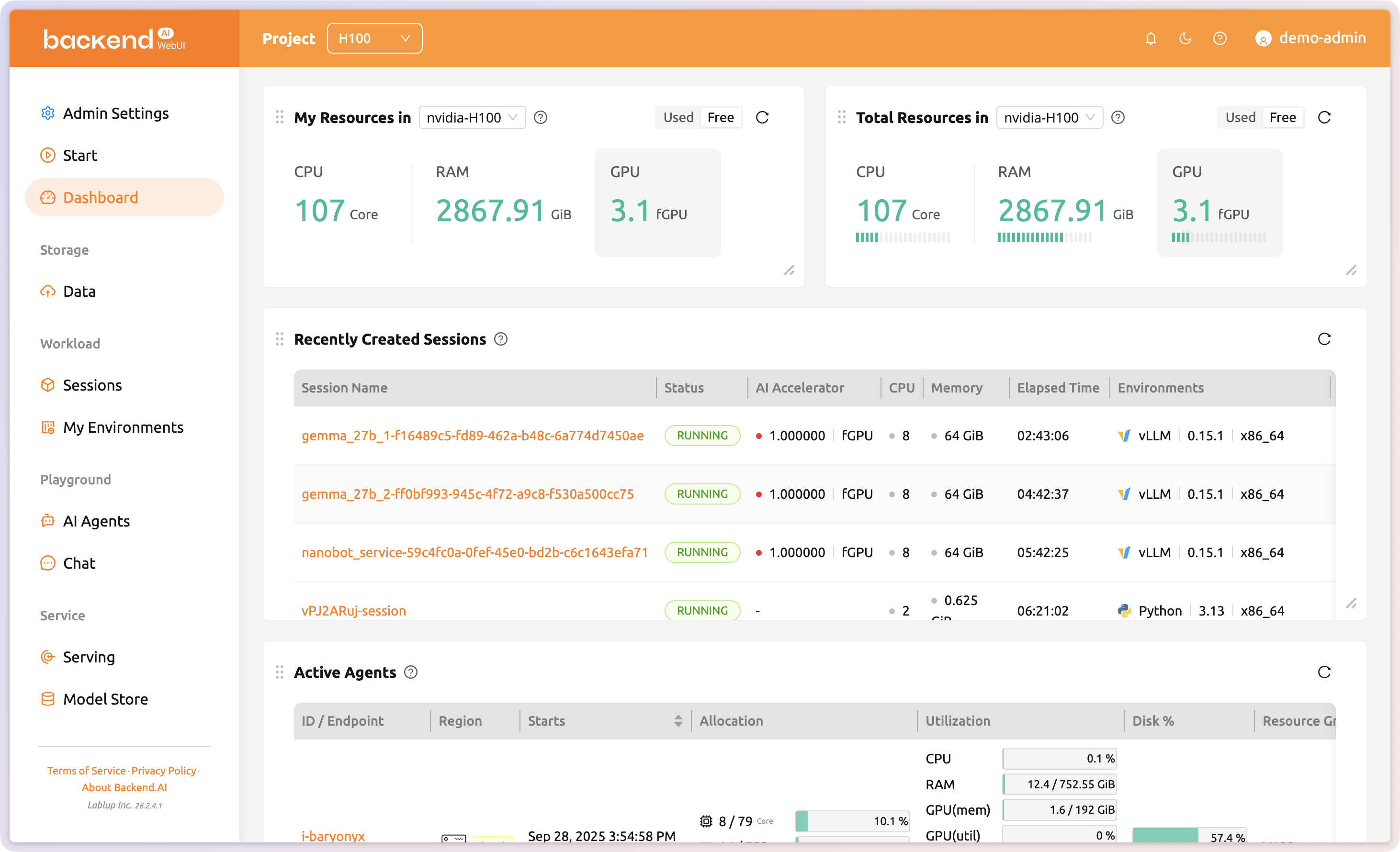
Cluster health at a glance
GPU utilization, allocated resources, total capacity, active agents, and recent sessions, all visible on a single page at a glance.
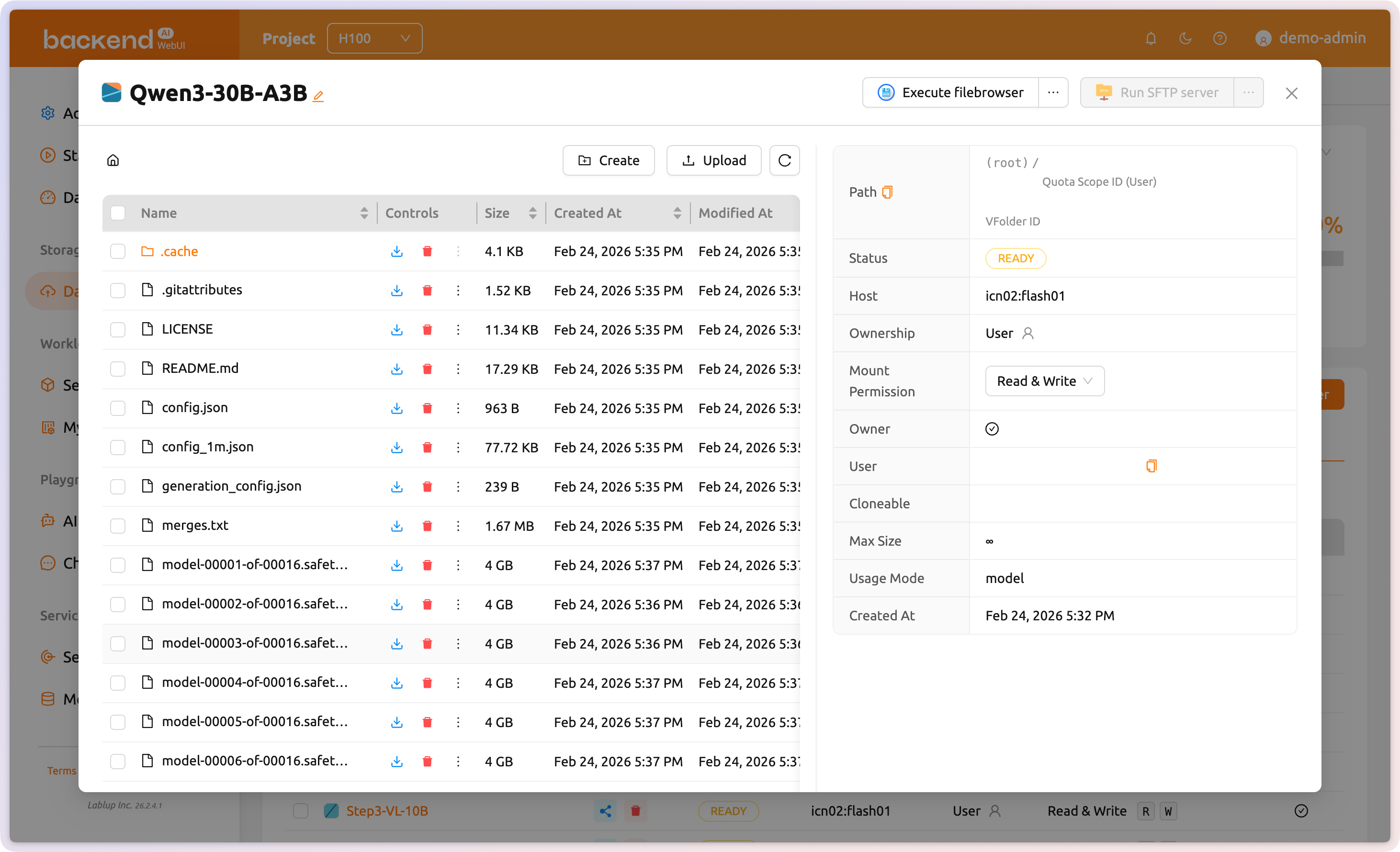
Systematic data management across sessions
Create VFolders to upload and systematically manage your files. Choose how they are used, and configure fine-grained sharing types and permissions to control who can access your data.
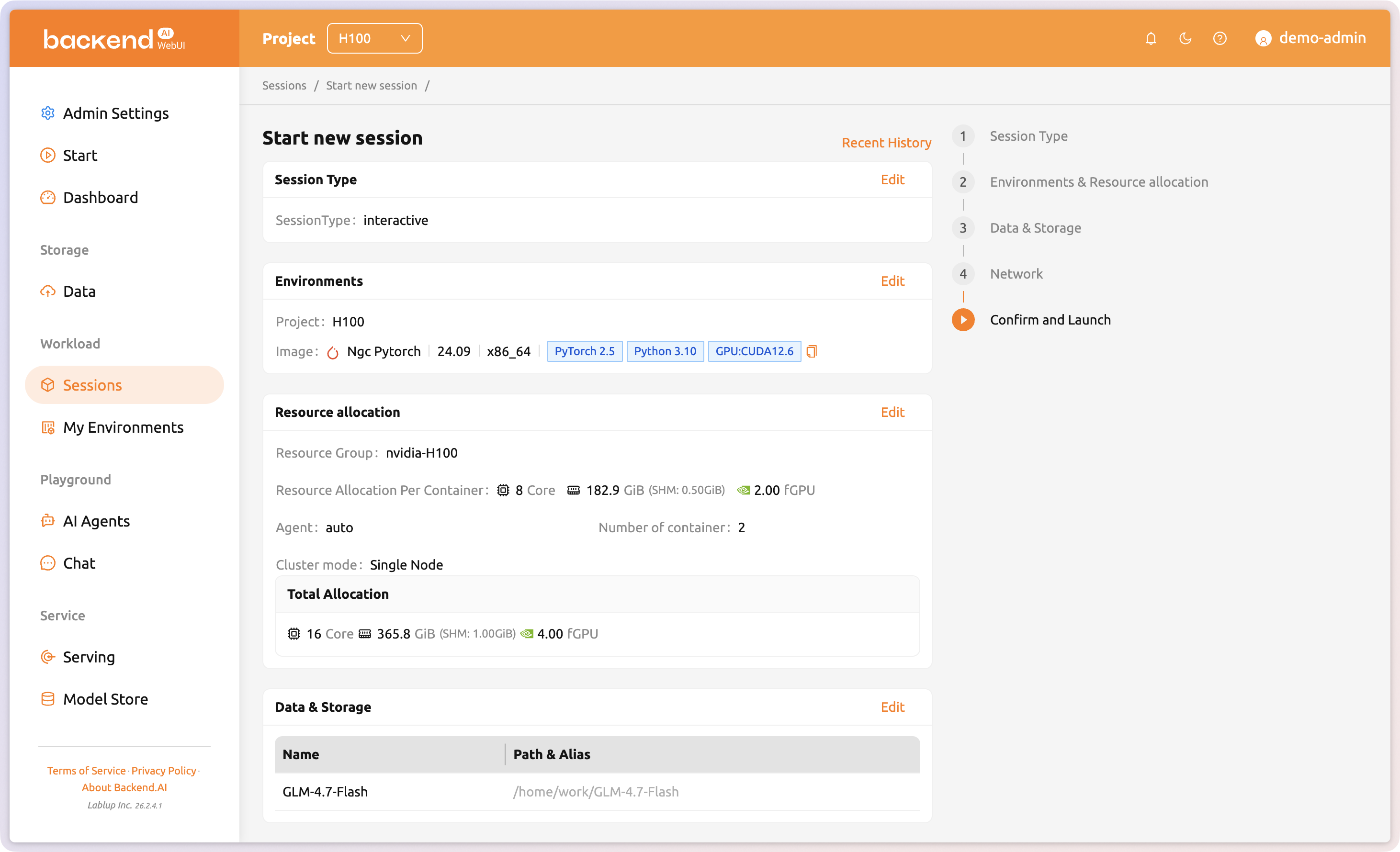
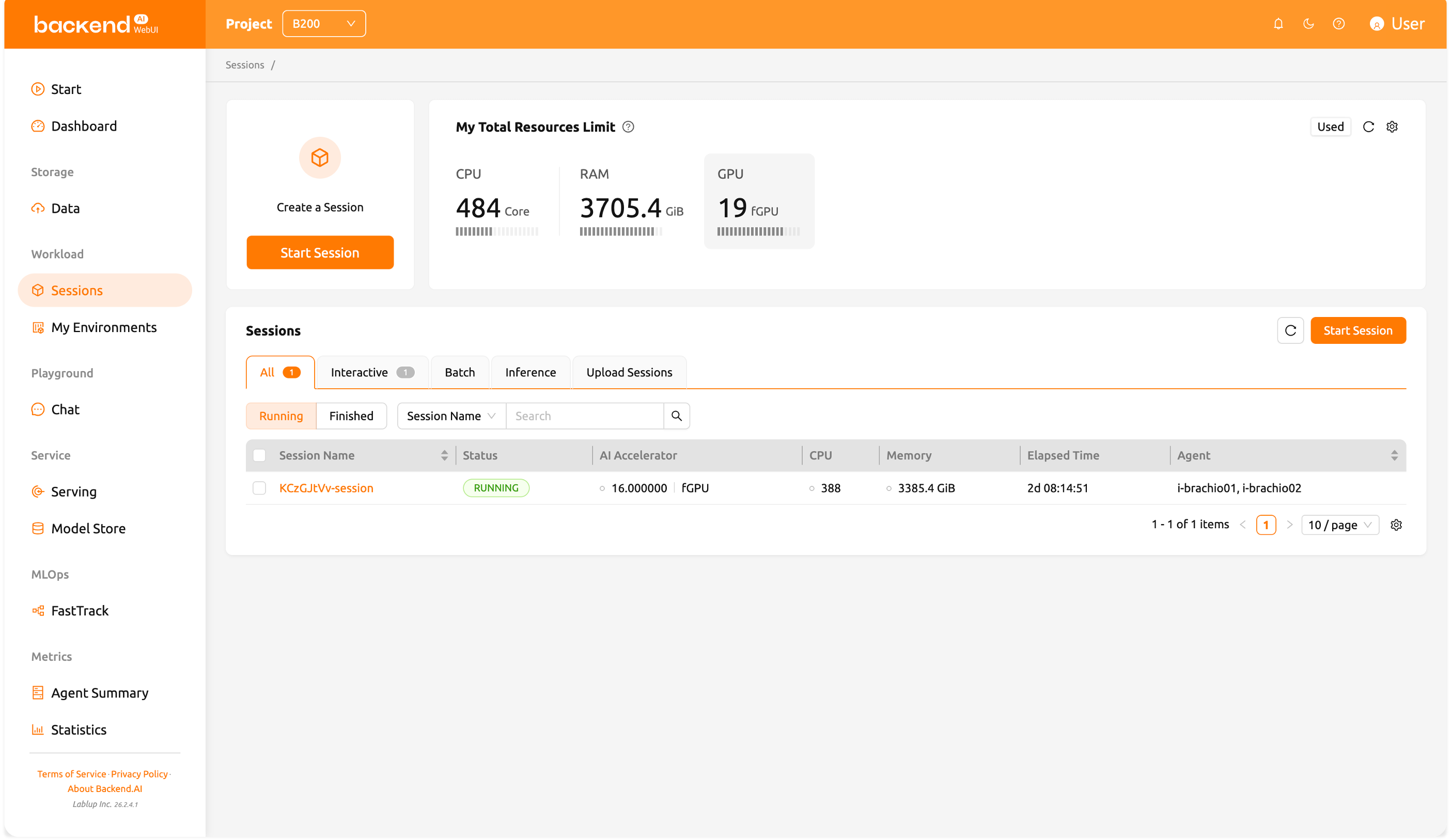
Launch and manage AI workloads
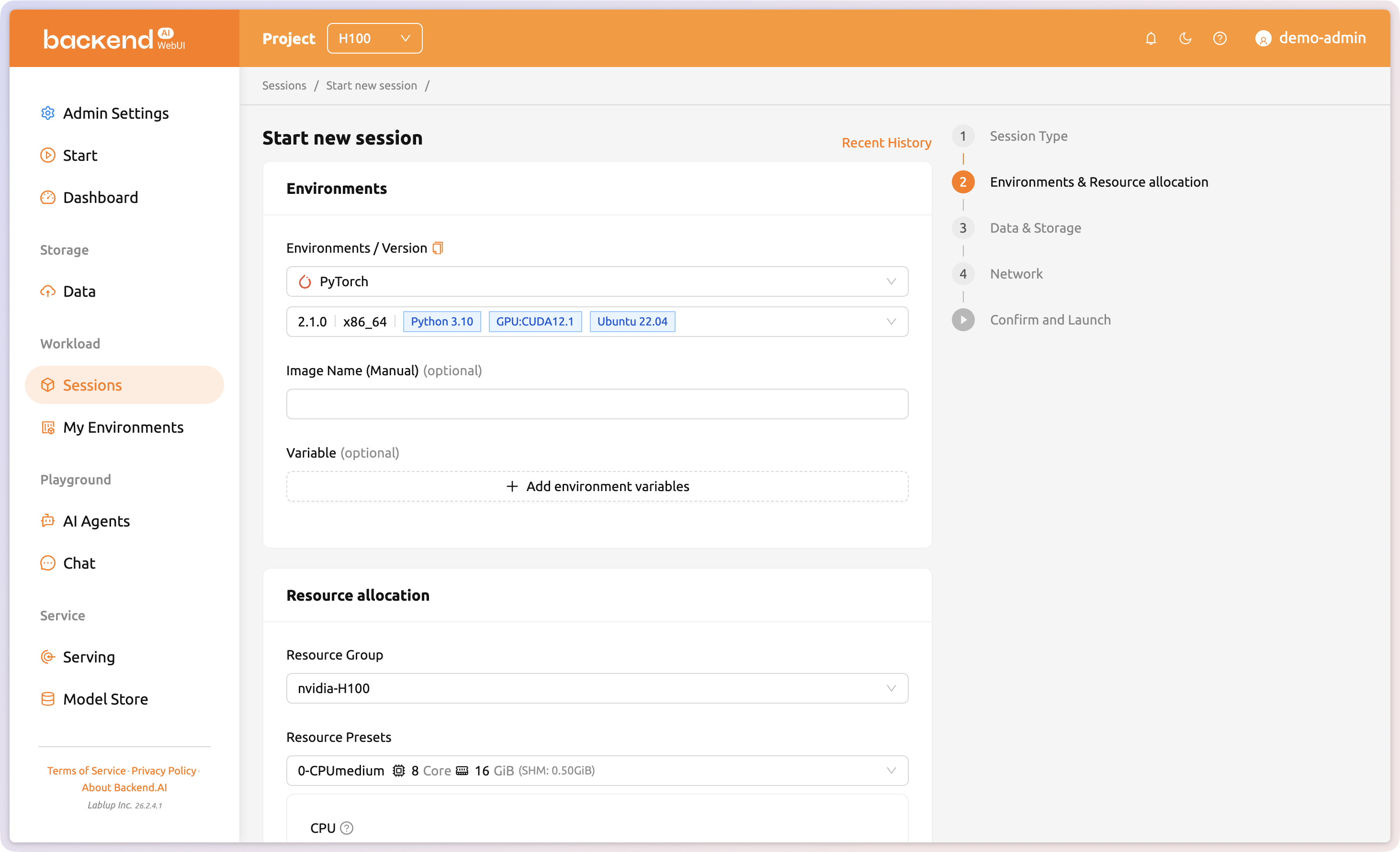
Sessions are independent computing environments where users can run model training, data analysis, and more. Configure the number of AI accelerators, memory, environment images, and other settings when creating a session. Create and use Interactive, Batch, or Inference sessions depending on the type of workload you need.
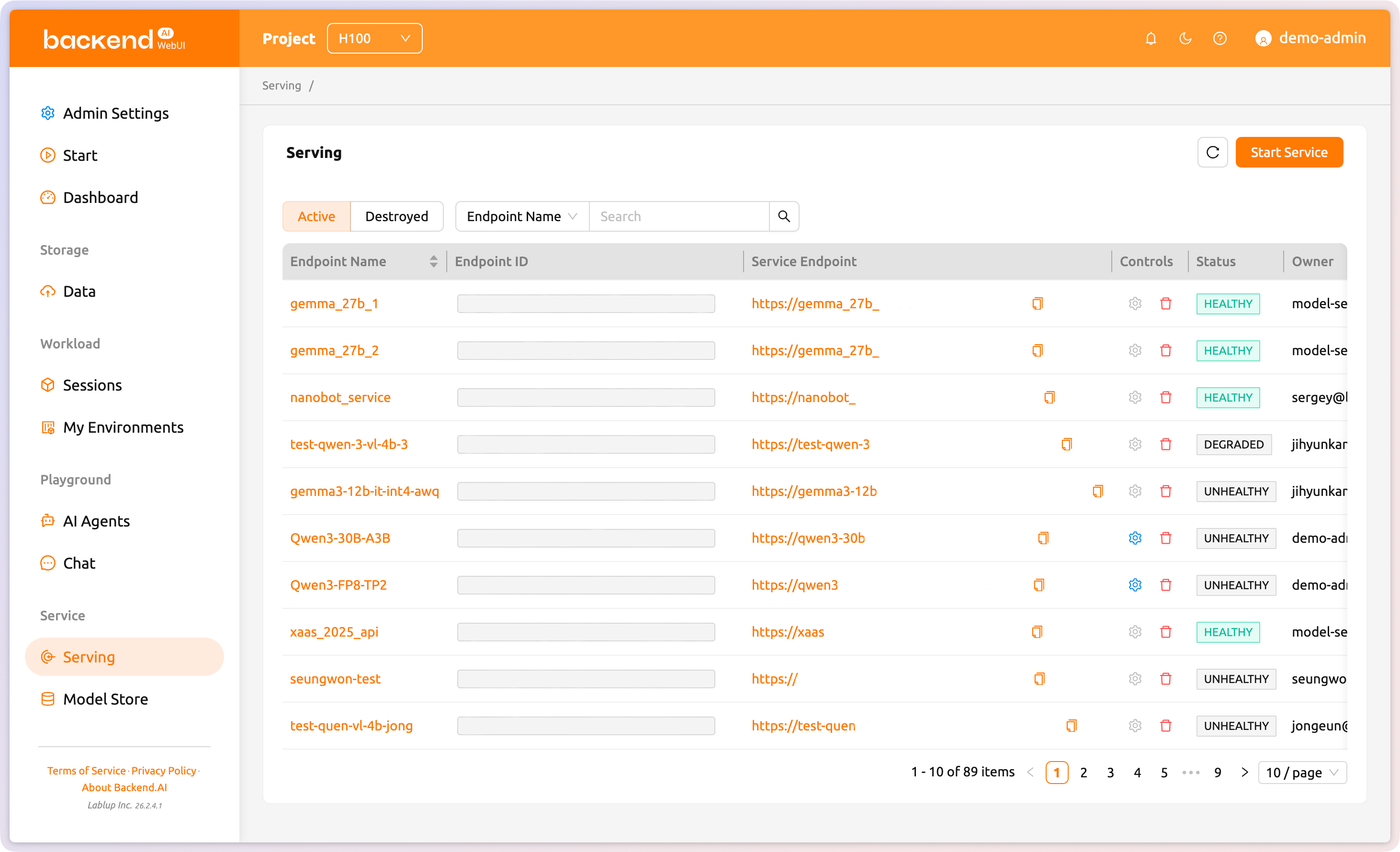
Deploy models as API endpoints
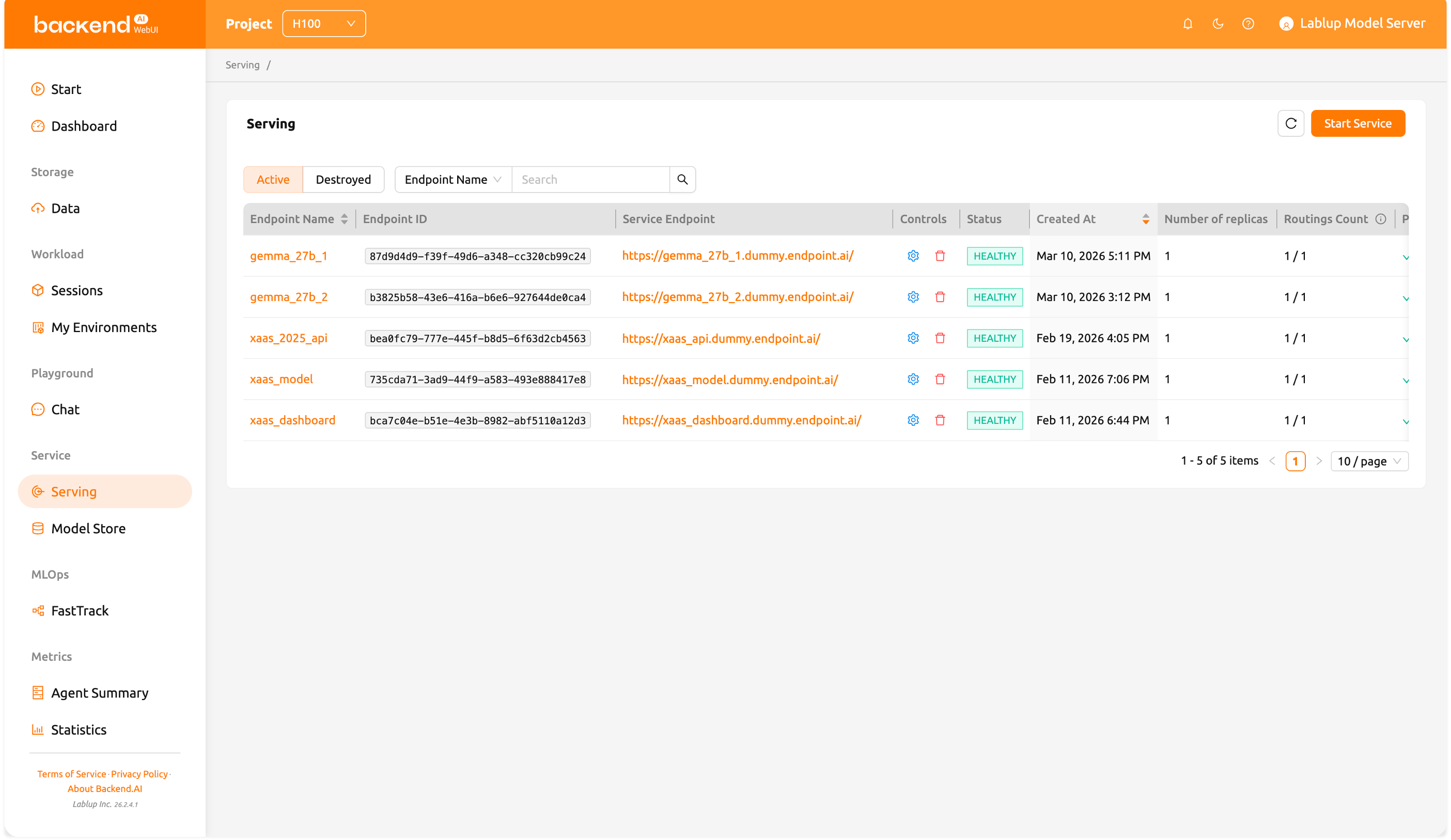
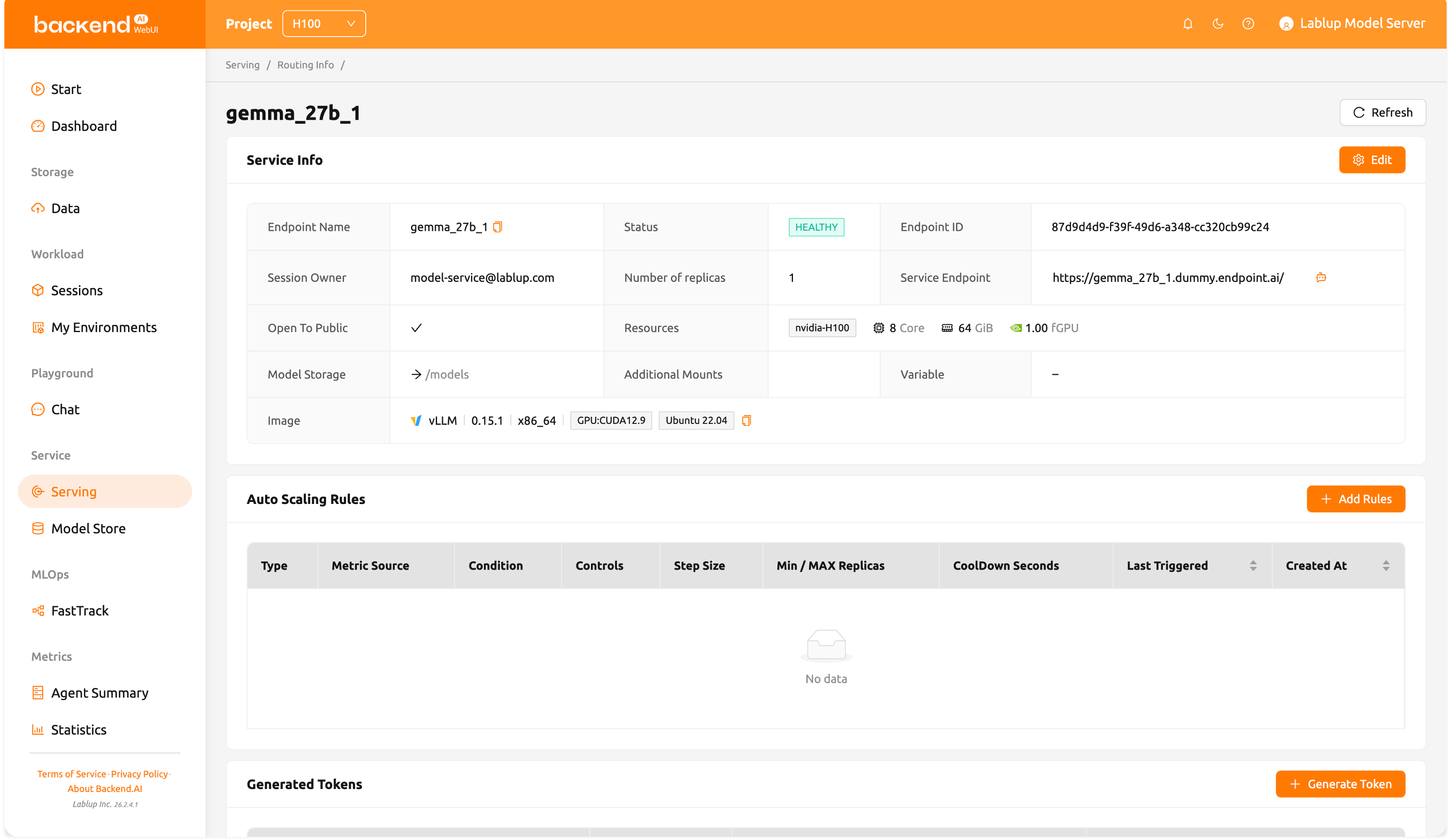
Turn trained models into production endpoints and scale them automatically based on policies. No need to connect separate software to serve models trained in Backend.AI.
Usage metrics and cost visibility
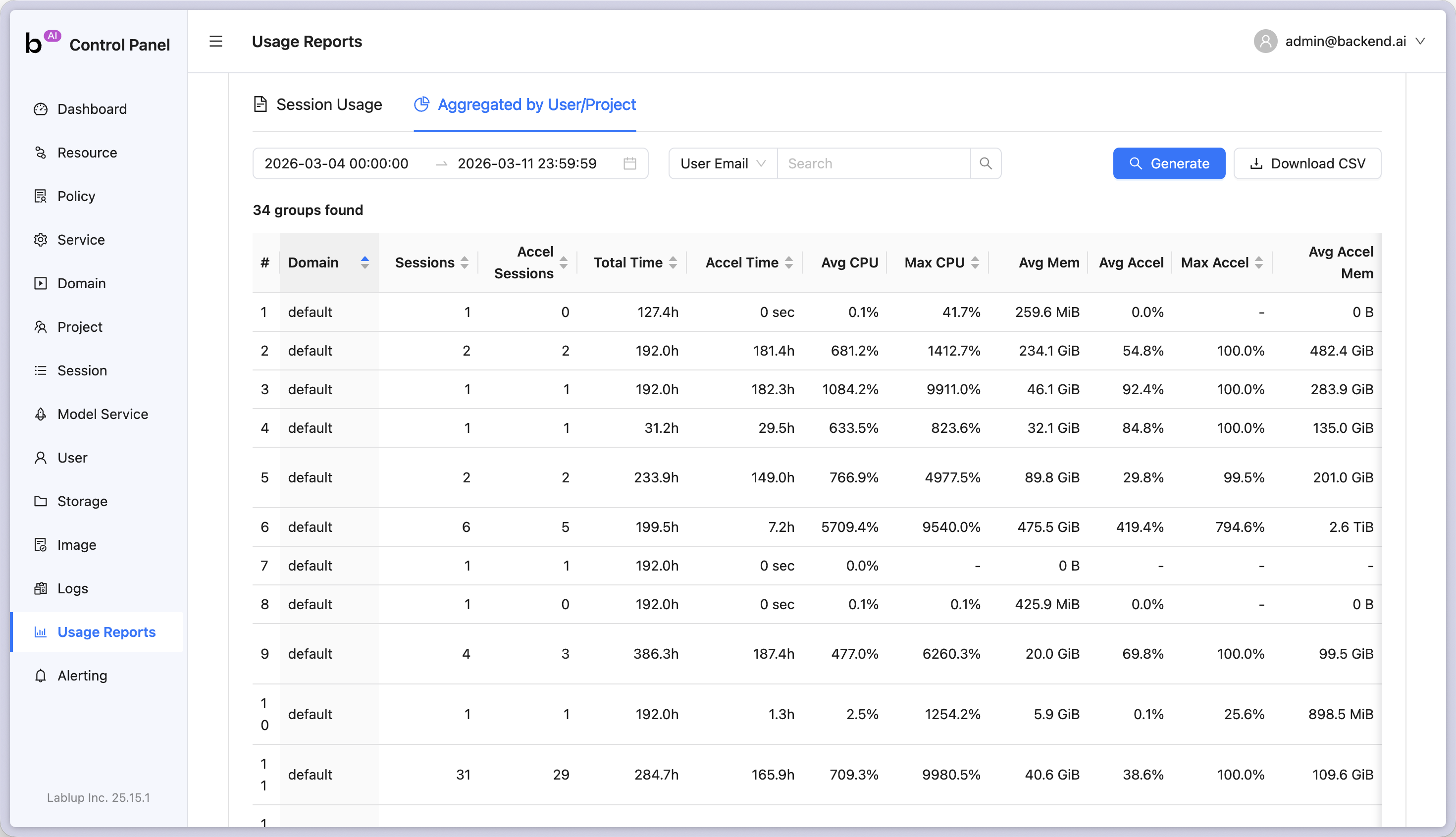
Track per-team and per-user GPU consumption and various metrics over time. Leverage statistics to help users utilize infrastructure efficiently.
Fine-grained policy control
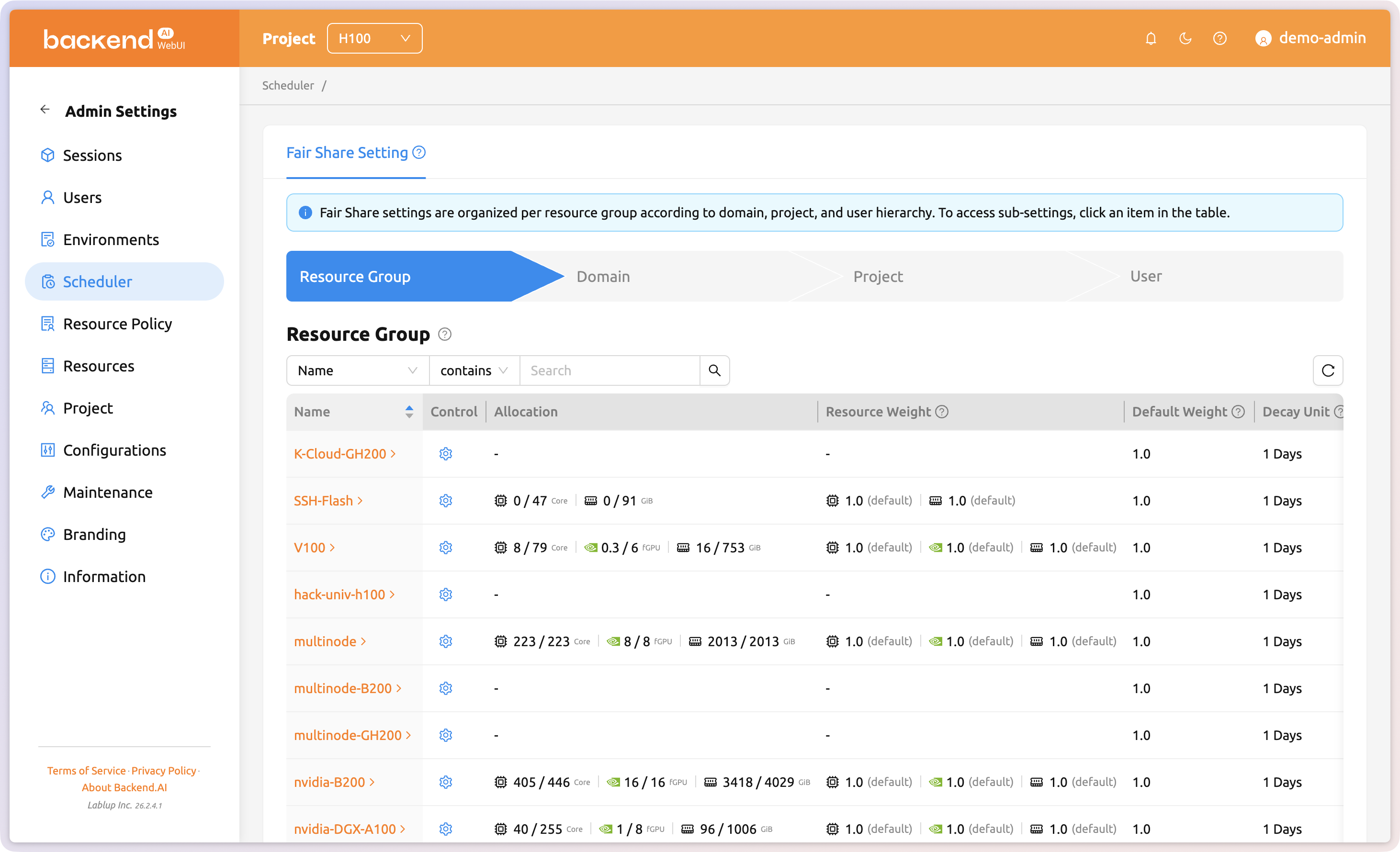
Advanced management features for organization admins: user management, project management, resource management, resource policy settings, and environment management. Enterprise customers can also use brand management features like custom theme settings.
Who Benefits
Everything each role needs, in one interface
Different users need different capabilities from the same software. WebUI was built by listening to a wide range of users, so every role gets an interface tailored to what they actually need.
Policy-based resource management
Set per-team GPU quotas, session time limits, and idle resource reclamation policies in WebUI. Policy changes take effect immediately.
Unified monitoring
GPU utilization, node status, session activity across the cluster, all in one real-time screen. Anomalies stand out by color.
User & group management
Register users, assign groups, and grant roles directly in WebUI. Audit logs track who used which resources and when.
Core Features
What you can do with WebUI
GPU infrastructure operations in a single web browser.
Session-based Workload
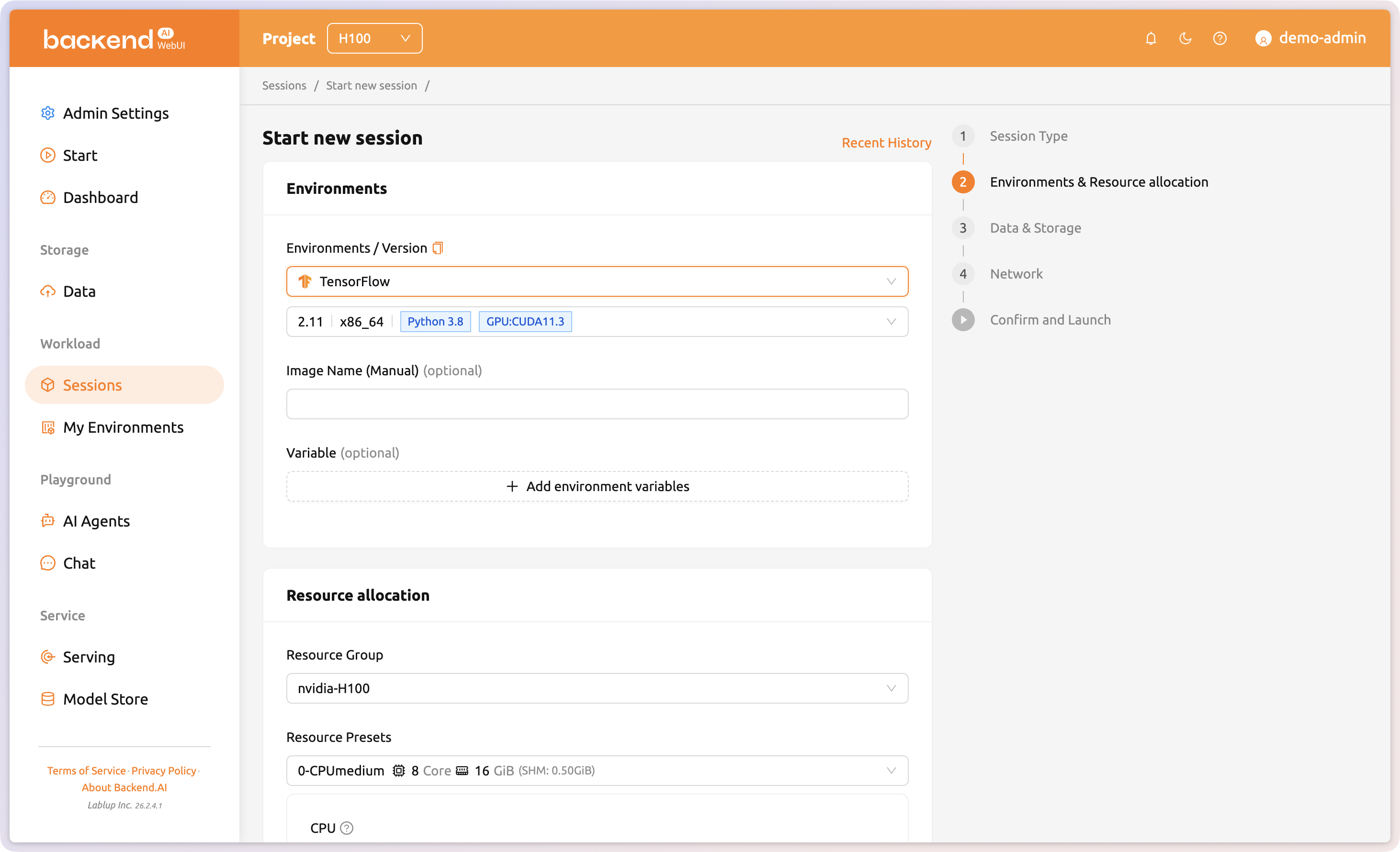
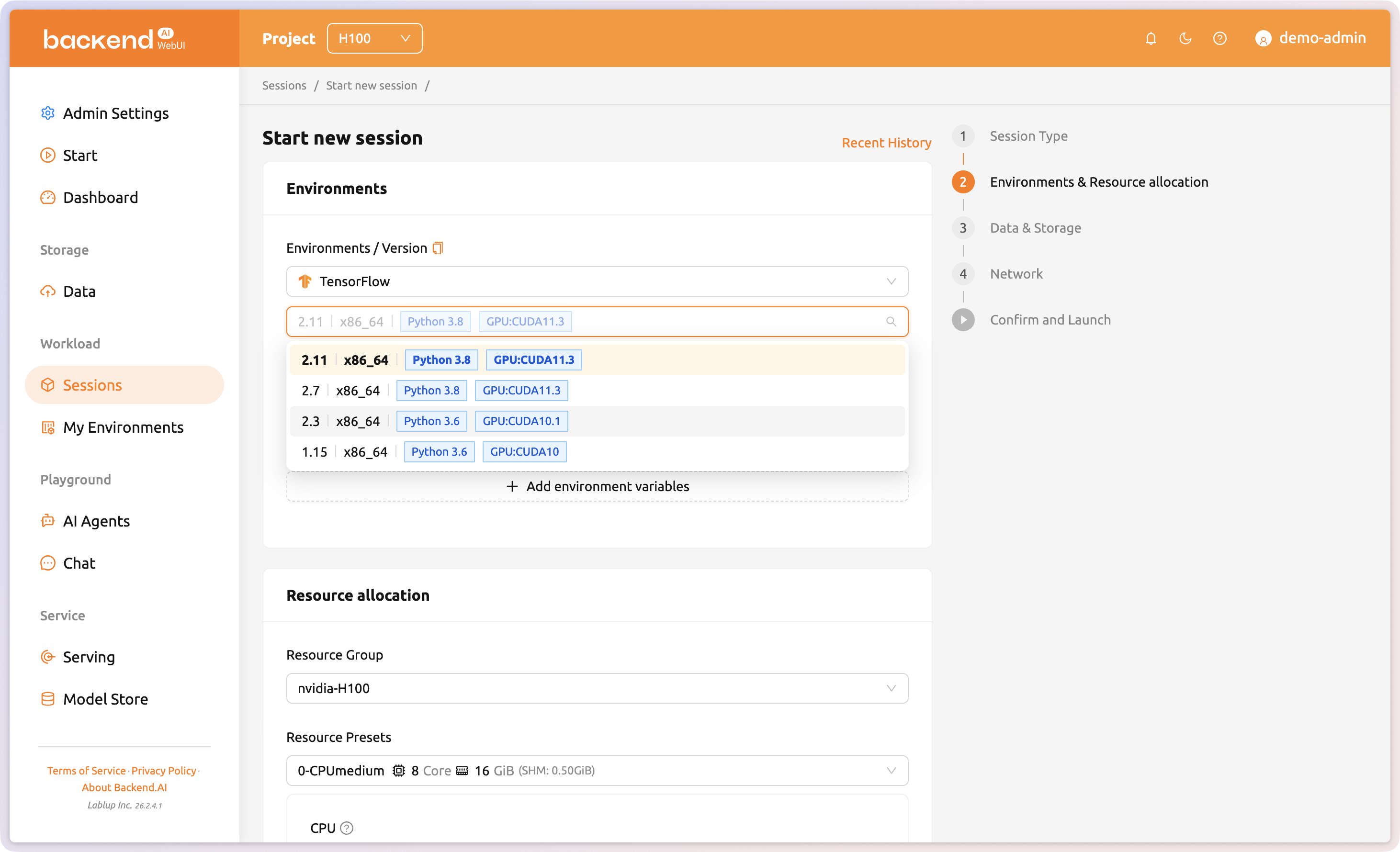
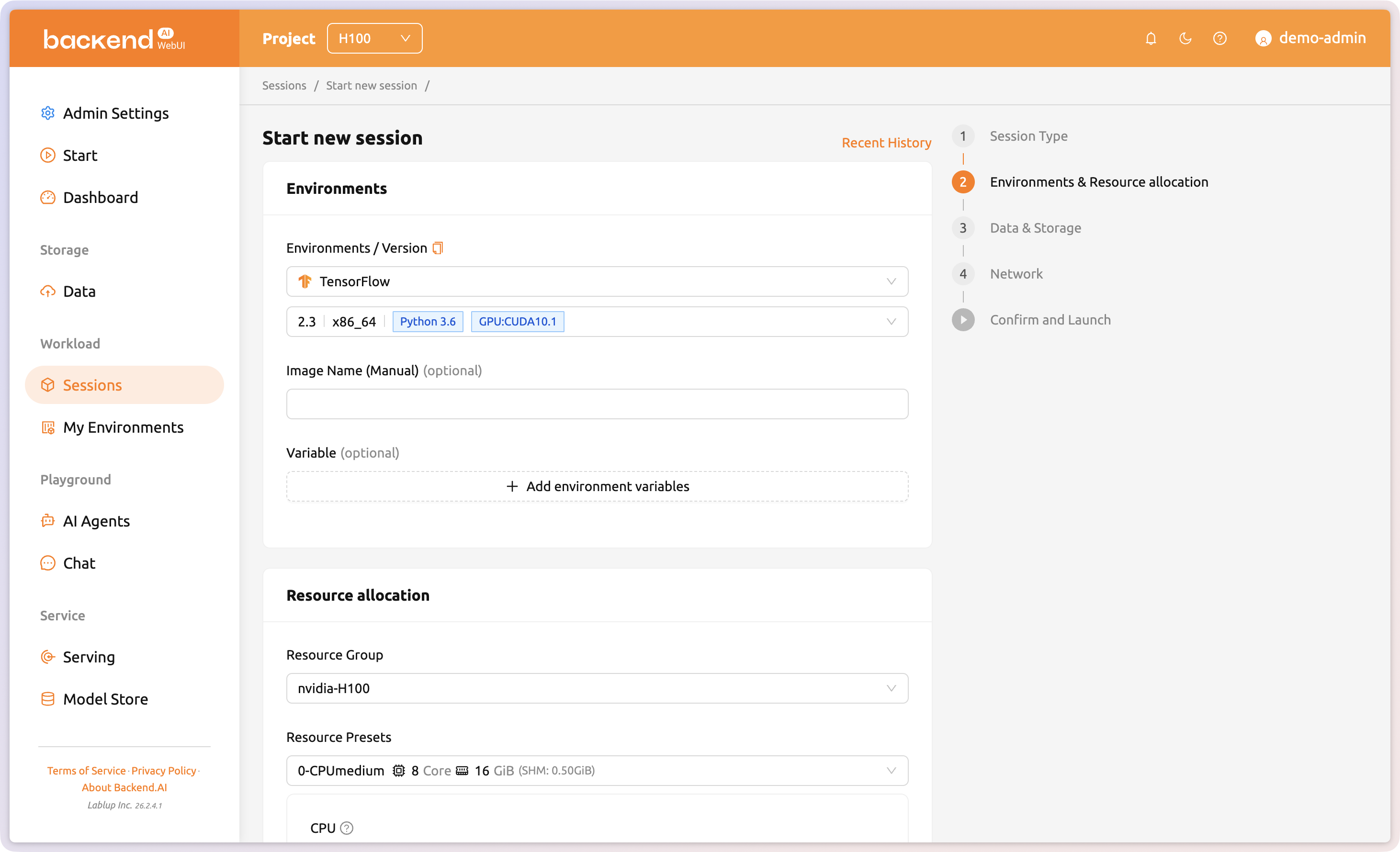
Flexible environment configuration regardless of framework or version
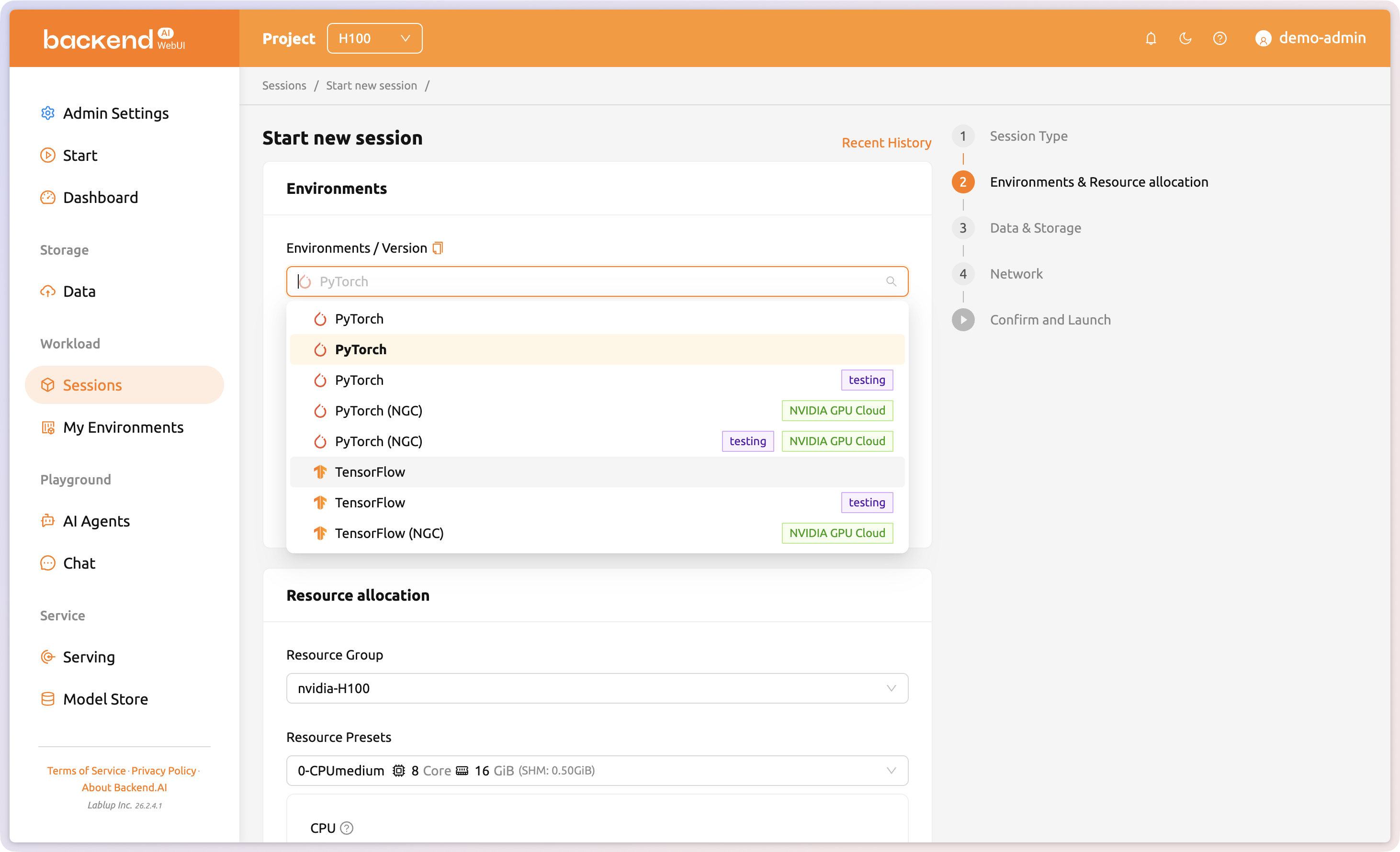
Researchers and developers can set a different environment (PyTorch, TensorFlow, etc.) for each session, allowing simultaneous work with different configurations on the same GPU hardware. Researchers can simply select the version they need and launch a session. No cluster reconfiguration required, even when switching between different framework or image versions.
Train to Serve
Seamless journey from training to inference
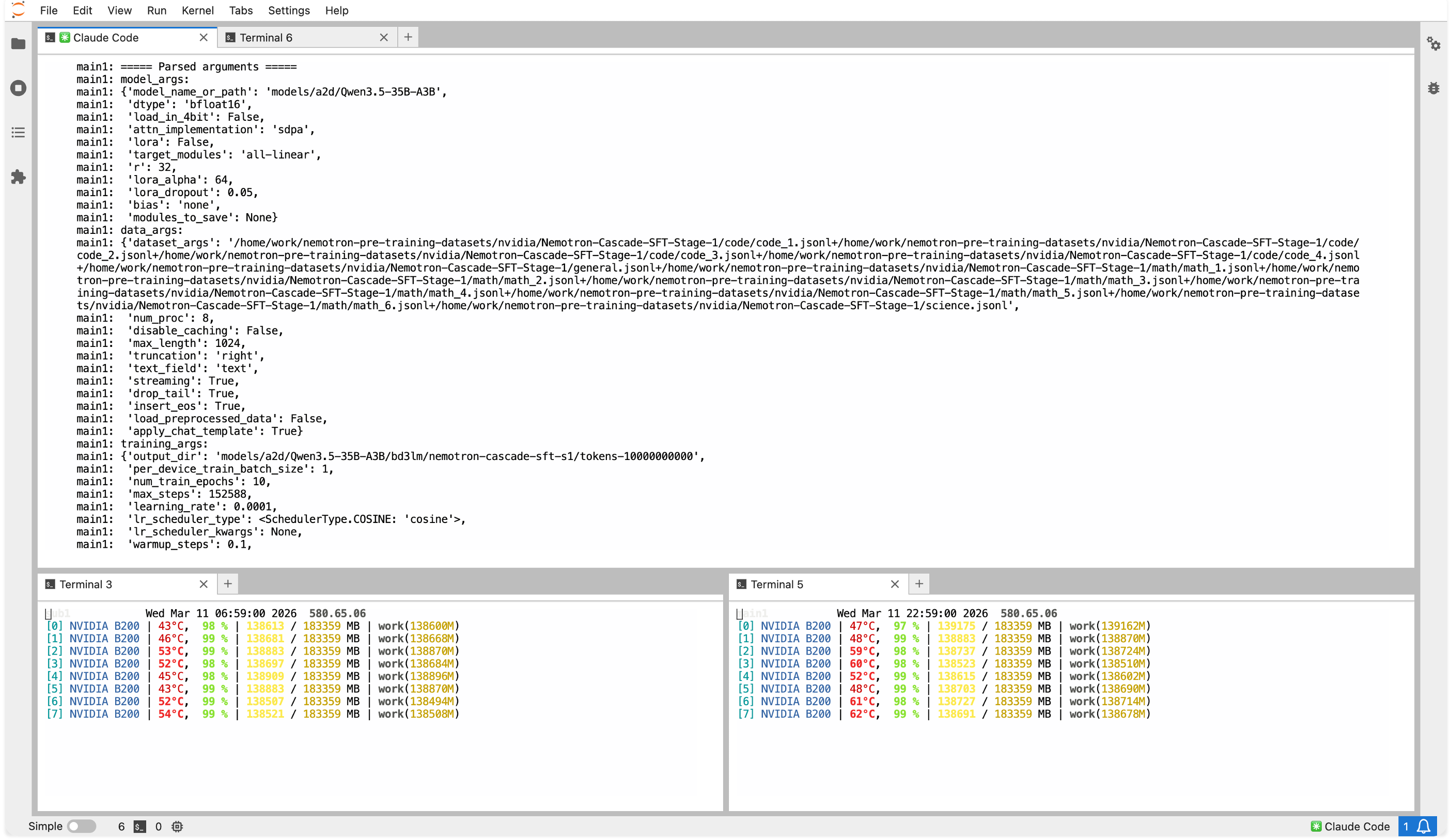
Train a model in Backend.AI and deploy it directly as an API endpoint. Save models trained in Interactive or Batch sessions to VFolder and load checkpoints directly from serving sessions, enabling a single continuous workflow from experimentation to production.
Inference Endpoints
Scalable managed inference service
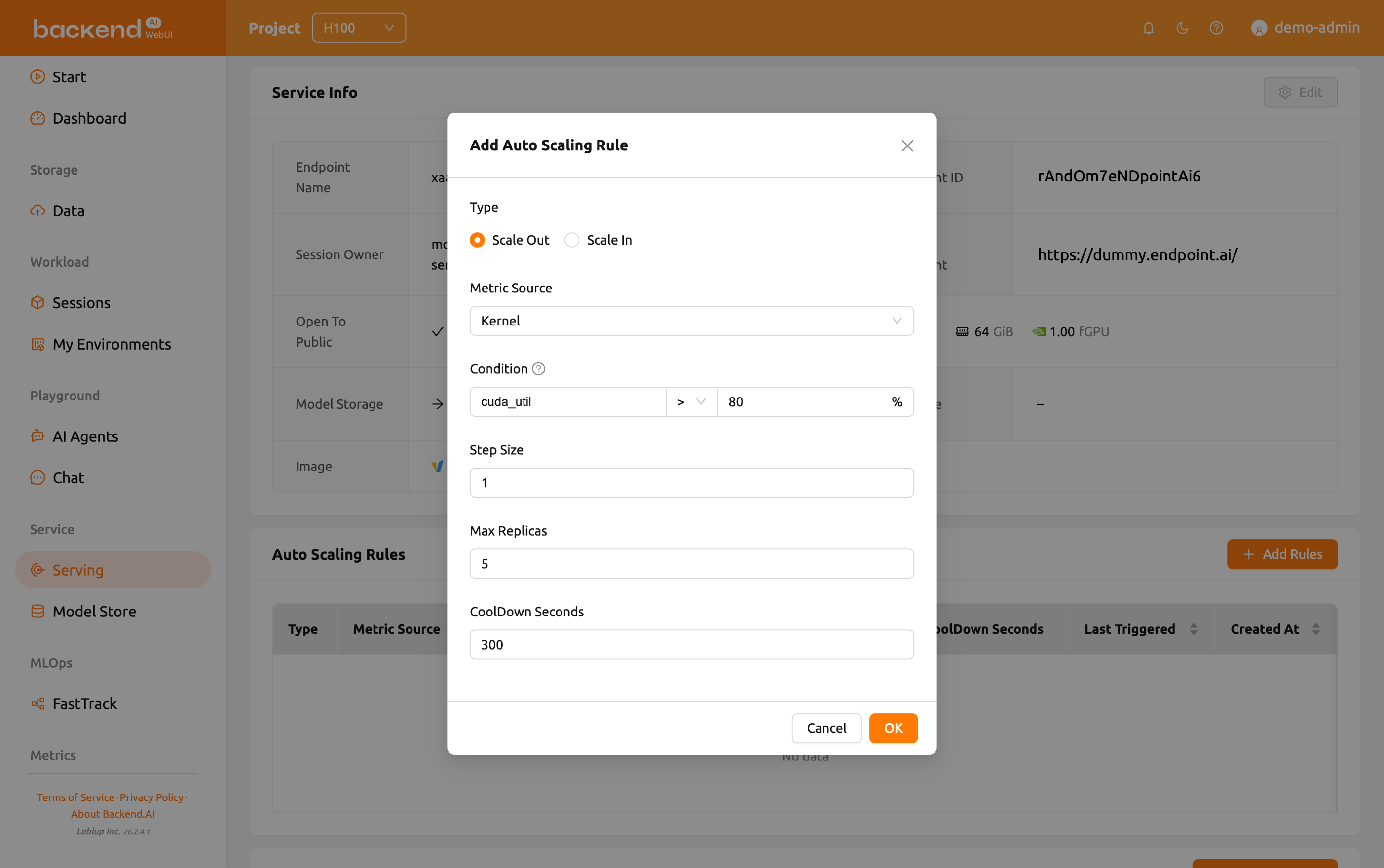
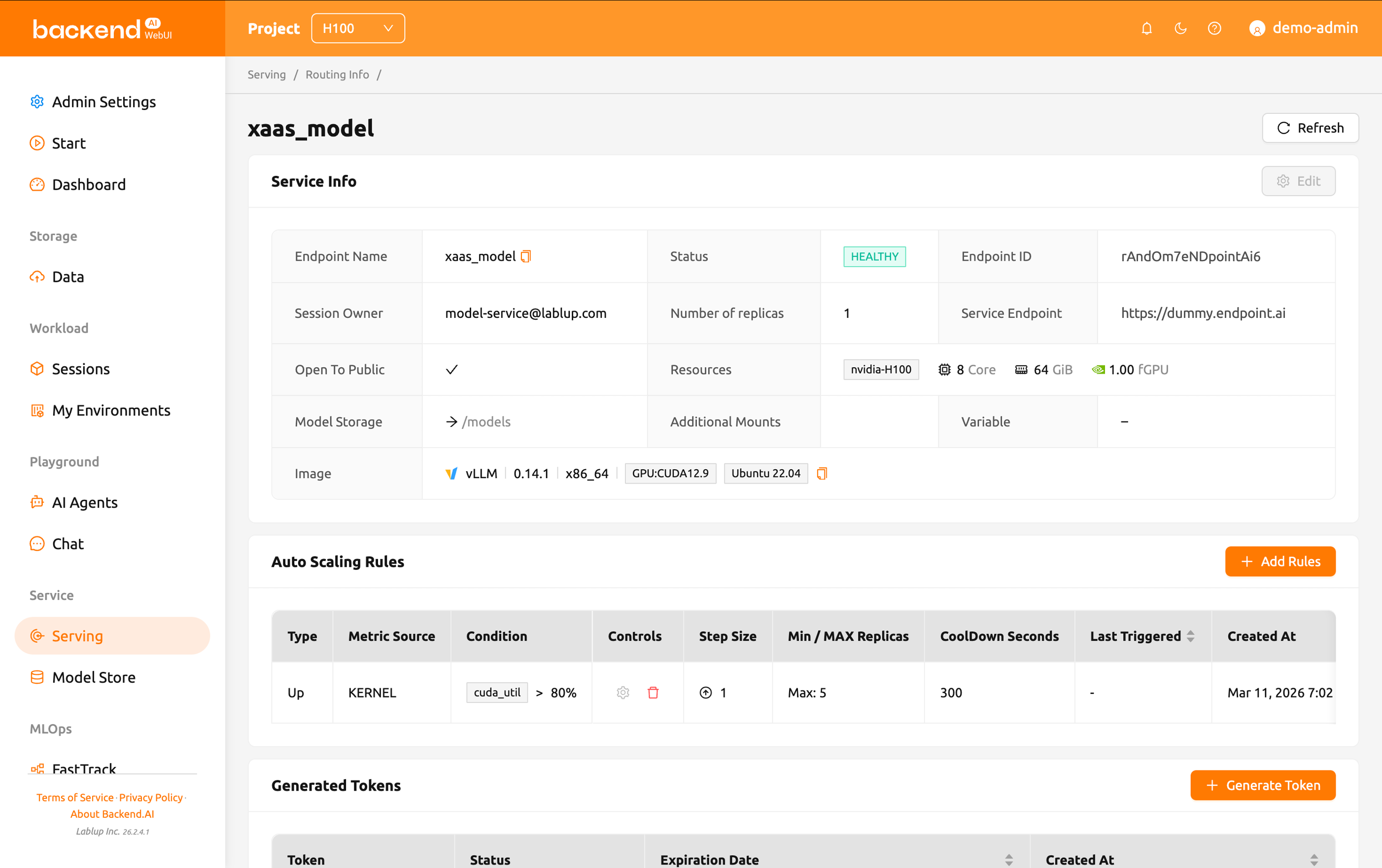
Deploy models as API endpoints and Backend.AI automatically scales replicas based on traffic. Requests are load-balanced across inference session replicas, and if a serving node fails, sessions are automatically rescheduled to healthy nodes. Administrators can monitor per-endpoint resource utilization in real time and configure scaling policies to keep production services resilient without manual intervention.
Resource Management
Policy-based automatic resource allocation & reclamation
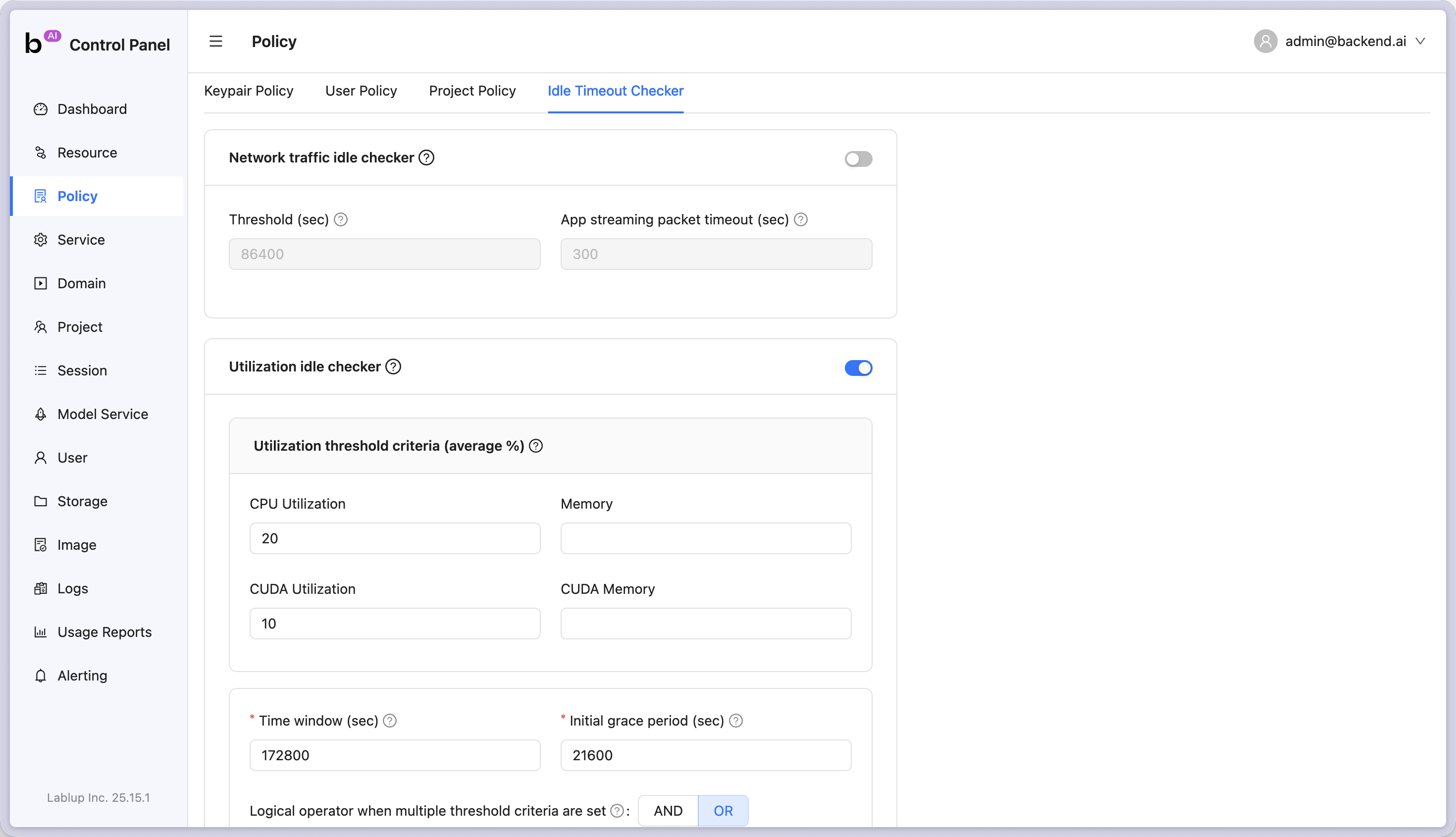
Set maximum resource capacity per user or project, and members can freely use resources within their quota without approval. Resource utilization, network activity, and elapsed time are automatically monitored, and resources allocated to idle sessions are reclaimed according to policy.
Resource Groups
Flexible resource management with resource groups
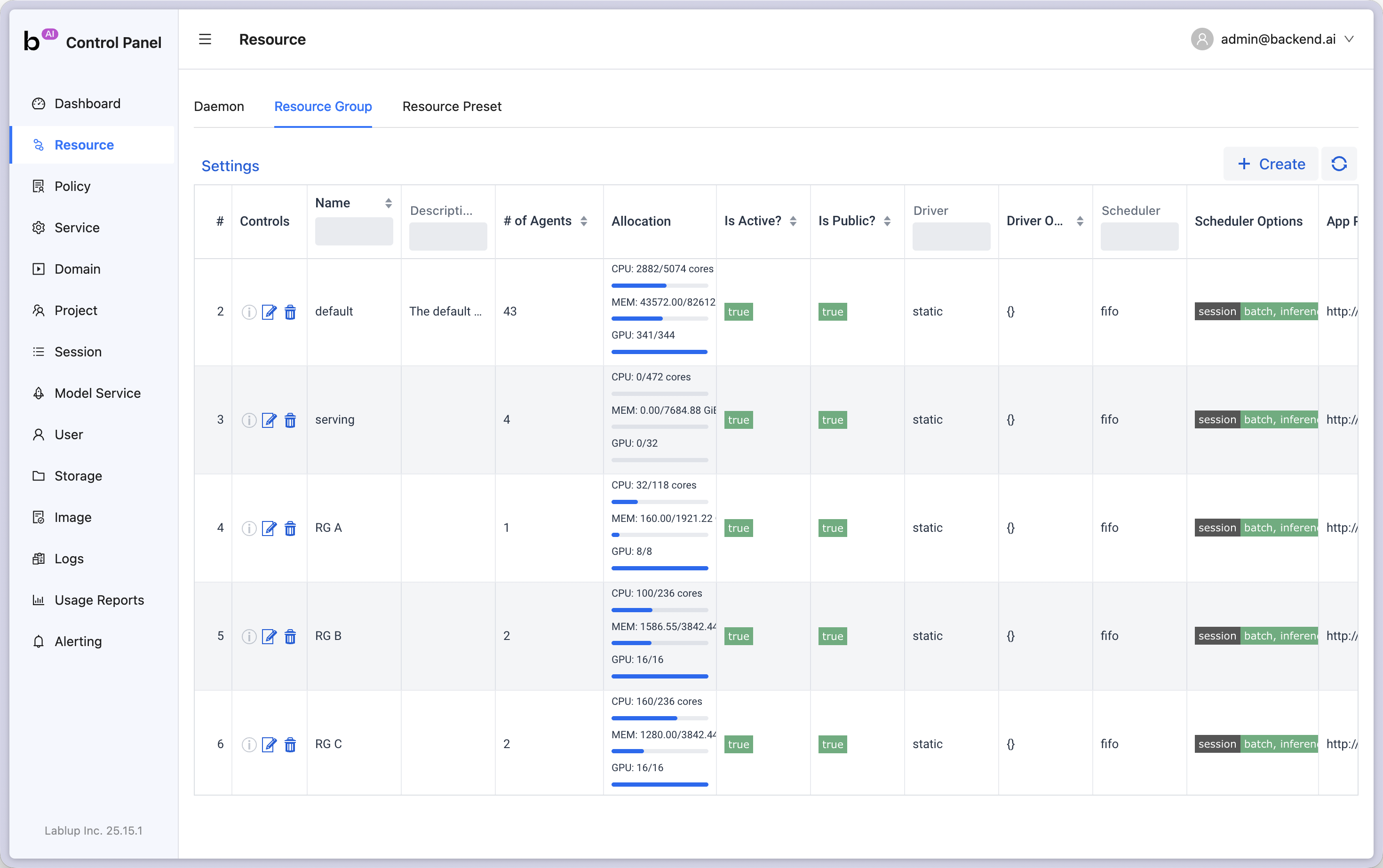
Bundle hardware into resource groups and assign them per user, project, or domain. Members can freely use resources within policy limits without administrator intervention. Group nodes by GPU model, workload type, node category, or cloud provider for flexible per-team resource management and cost optimization.
User Voices
Trusted by teams who manage real GPU clusters

"Getting started was really easy. I've used Slurm before so I can't help comparing — Slurm requires every task to be entered as CLI commands, which makes the initial learning curve steep. Backend.AI has an intuitive WebUI that let me explore new features and start using them right away."
Sehwan Joo
/Engineer, Upstage

"As a business school, it's hard to assign dedicated CS-trained staff. But Backend.AI's WebUI is so well designed that when we trained a few of our department TAs on how to use it, they were able to handle overall management. That was a huge plus for us."
Prof. Yoonho Cho
/AI, Big Data & Convergence Management
Choose an easier way to run GPU infrastructure
Turn your infrastructure into manageable resources
