
Backend.AI 25.15 LTS is now officially available. This release brings comprehensive system-level optimization and user experience improvements, reinforcing the platform’s reliability and scalability for large-scale AI model training, deployment, and research.
Release Policy Update: New Backend.AI Release Schedule Effective 2025
Beginning in 2025, new release rules will apply to Backend.AI. Long Term Support (LTS) versions will be released at the end of the first and third quarters each year. These LTS versions will focus on stability, receiving ongoing maintenance and bug fixes throughout the year. New features and enhancements will be introduced in separate releases, ensuring that LTS versions remain stable while revisions allowing for continued improvement in the platform.
1. Enhanced User Experience with the New VFolder Explorer
Backend.AI 25.15 introduces a redesigned VFolder Explorer with significant upgrades to both performance and usability. File upload speeds have been dramatically improved, and users can now upload entire folders, perform parallel uploads, and benefit from automated duplication checks, all within a more intuitive and responsive interface.
1.1. Performance Improvements
File uploads now dynamically adjust chunk sizes based on file size. Small files are split into finer chunks, while large files use bigger chunks. This optimizes transfer speed for various scenarios.
Performance improvement comparison| Test Item | Previous Version | New Version (NEO) | Improvement |
|---|---|---|---|
| JS project folder (160 files, 35 MB, local) | 89 s | 8 s | ≈11.1× faster |
| Single file upload (450 MB, test env.) | 24 s | 17 s | ≈29% faster |
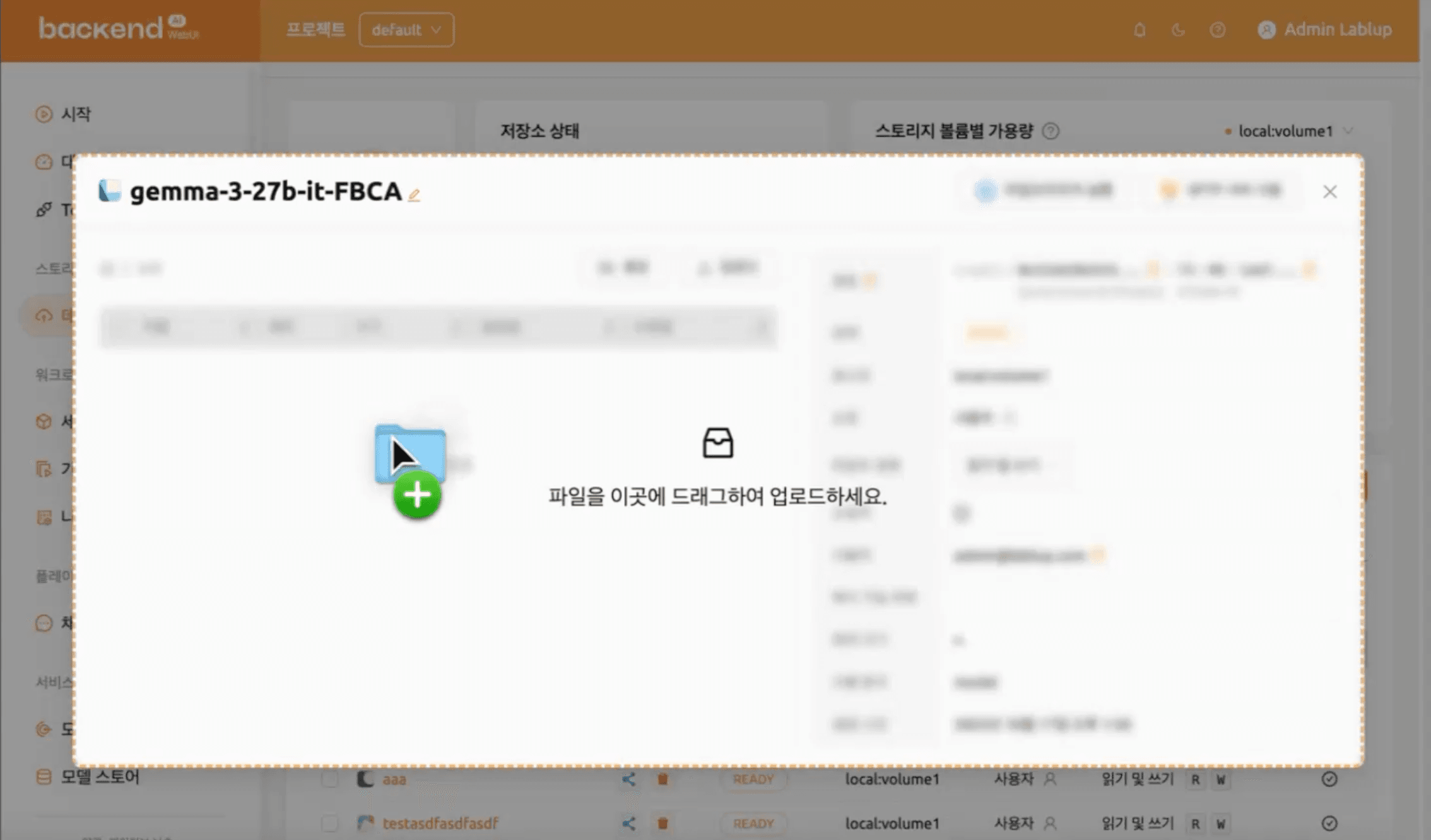
Parallel Upload & Auto Deduplication Uploads are no longer processed sequentially. Multiple files can now be verified and transferred simultaneously. Additionally, duplicate name checks are automatically handled, drastically reducing total upload time.
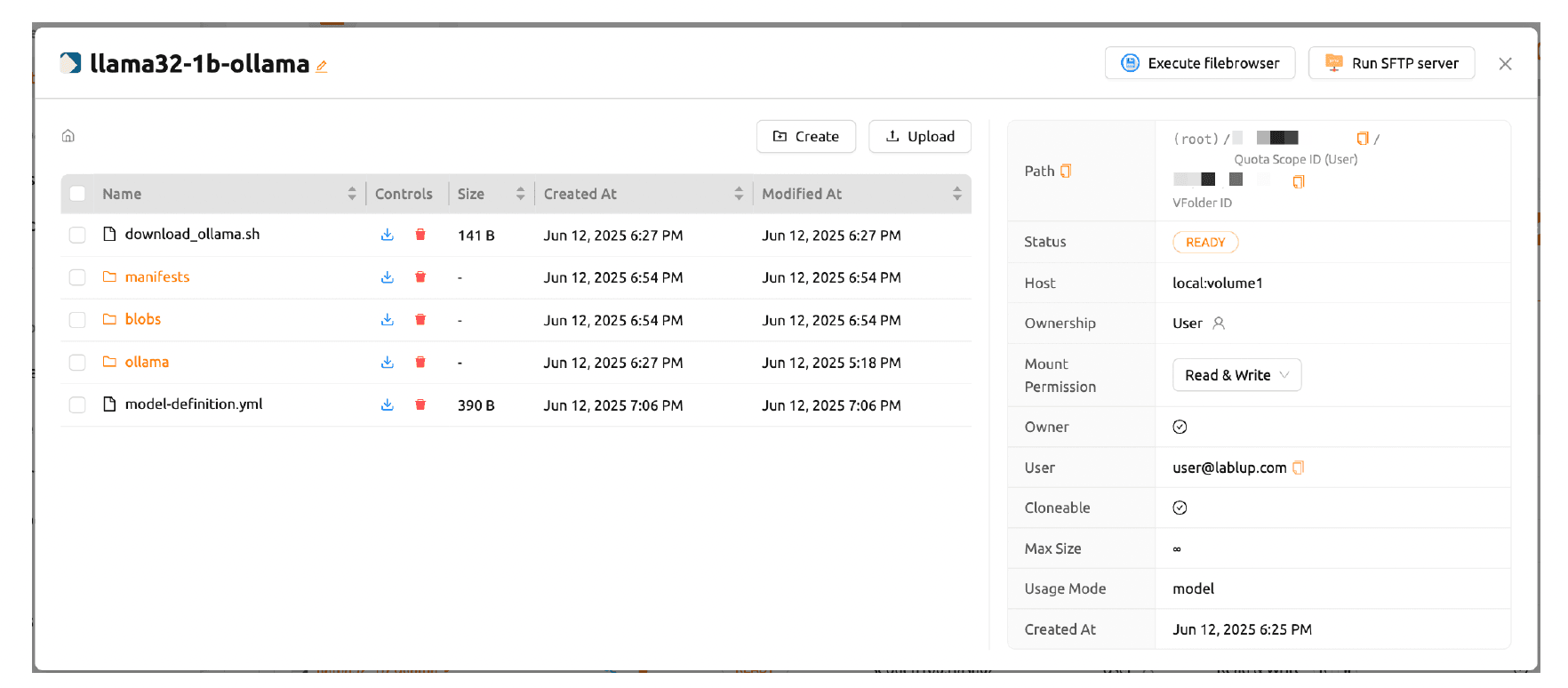
Folder Upload Support Entire folders can now be uploaded directly via drag‑and‑drop, allowing users to seamlessly import structured datasets or project directories with minimal effort.
1.2. Usability Enhancements
Users can now rename files and folders directly in the explorer, while upload progress appears in a persistent Notification panel, allowing other tasks to continue uninterrupted.
Usability Enhancements| Feature | Previous | Current (NEO) |
|---|---|---|
| Upload progress and remaining file count visible even after closing the popup | X | ○ |
| Remaining file count indicator | X | ○ |
2. NEO Session as Default & Improved Session Management
NEO Session by Default
The NEO Session interface is now the new default experience. It offers faster load times, improved performance, and a streamlined, intuitive layout. Filtering and sorting are more powerful and user-friendly, while the column view dynamically expands based on user preferences, showing only essential data by default.
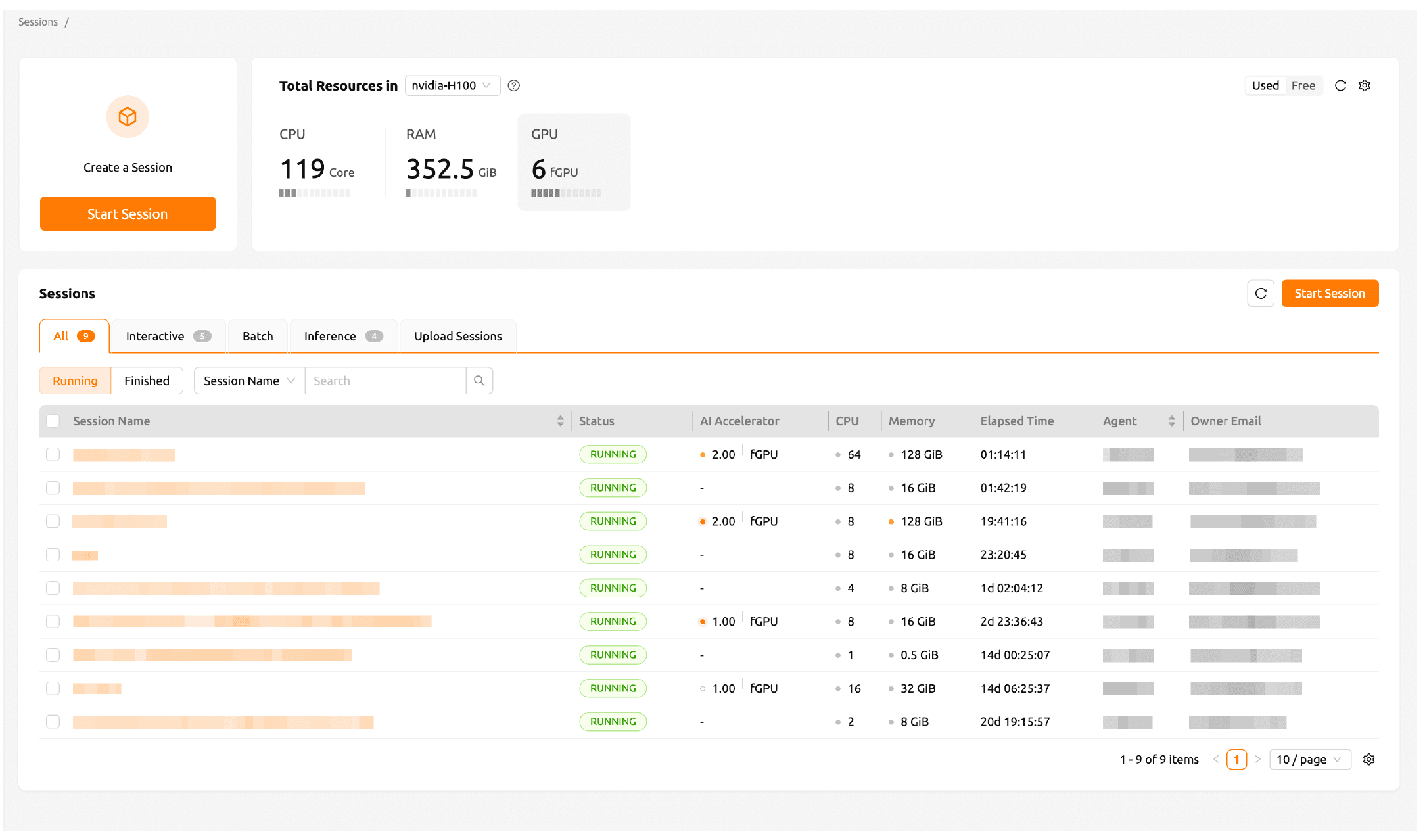
New Session Launcher Features
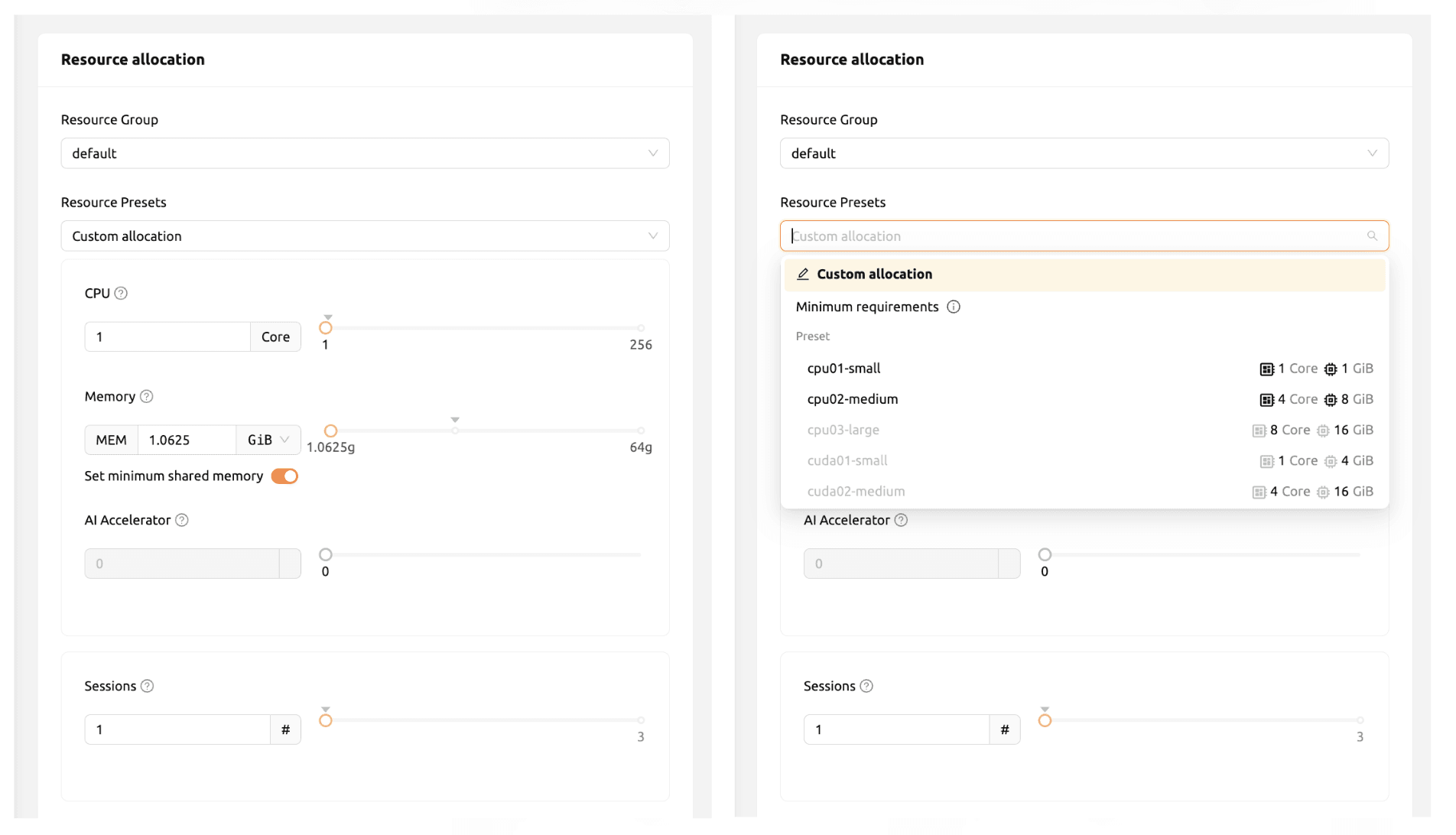
Backend.AI 25.15 introduces several enhancements to the Session Launcher:
- Independent Shared Memory Control: Shared memory can now be adjusted even when
allowCustomResourceAllocationis disabled. - Streamlined UX after Creation: Session lists update instantly after creation, with notifications and actionable buttons for quick interactions. This replaces the automatic App Launcher popup.
- Automatic Accelerator Selection: Accelerators are automatically matched to container images based on their
supported acceleratorattribute. A wildcard (*) option supports all available accelerators. - Persistent Input Fields: Input values in the Service Launcher remain intact even after page refreshes, making repetitive workflows easier.
3. A More Flexible Dashboard
The Dashboard provides a powerful overview of all projects and resource groups, including resource usage, quotas, and active sessions. In 25.15, it becomes more customizable than ever.
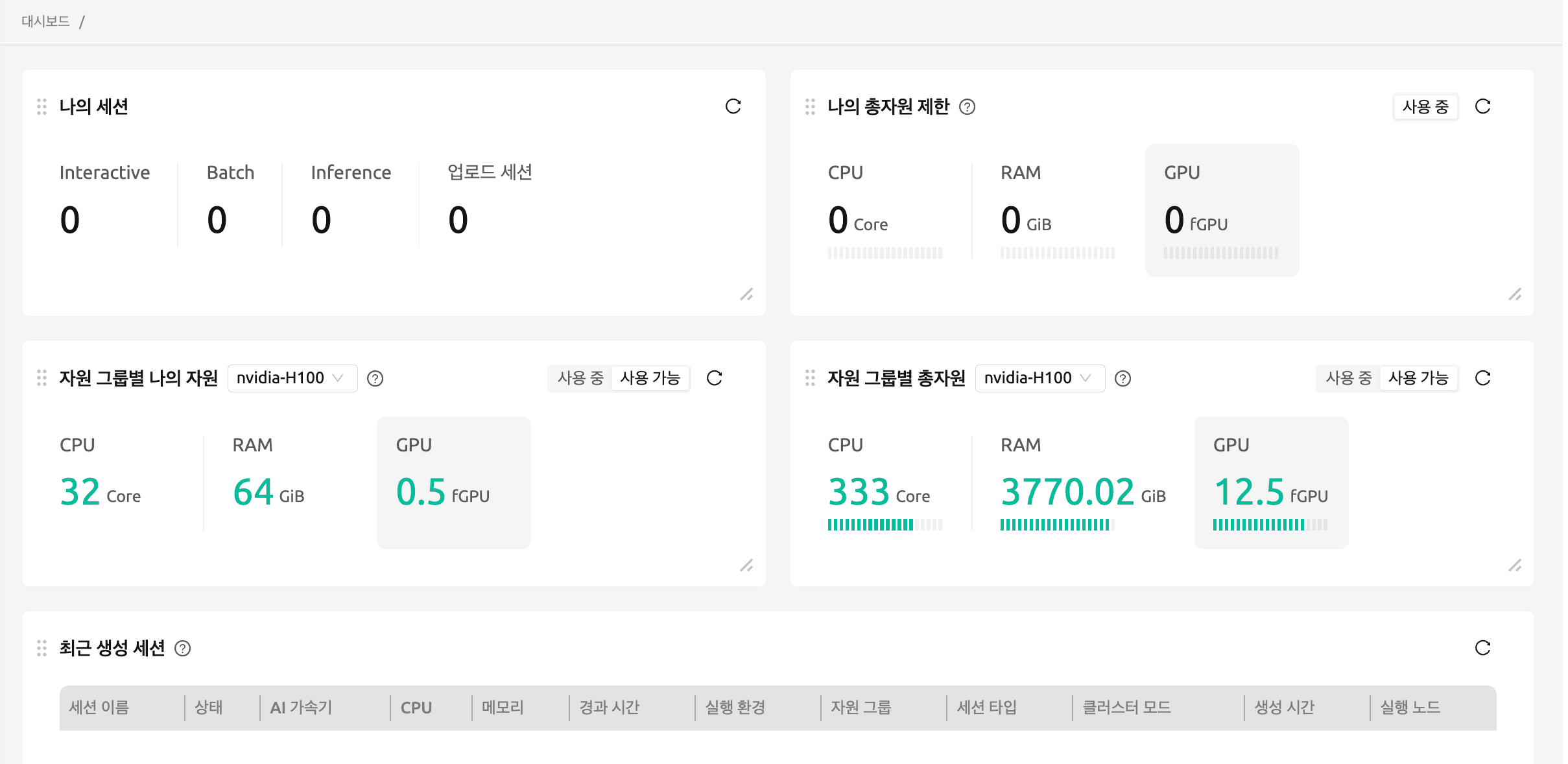
Users can now move, resize, and arrange individual dashboard components to create personalized layouts for quick access to key metrics.
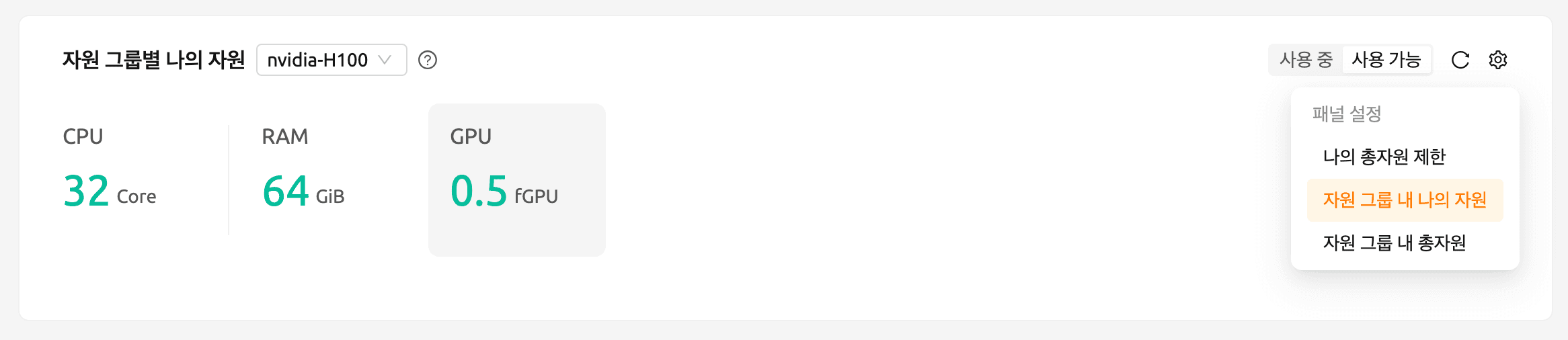
A new “My Resources by Group” card shows detailed usage statistics for CPU, RAM, and GPU resources per resource group. When multiple groups are available, users can switch between them via a dropdown menu for clearer, organized insights.
4. New Scheduler Page
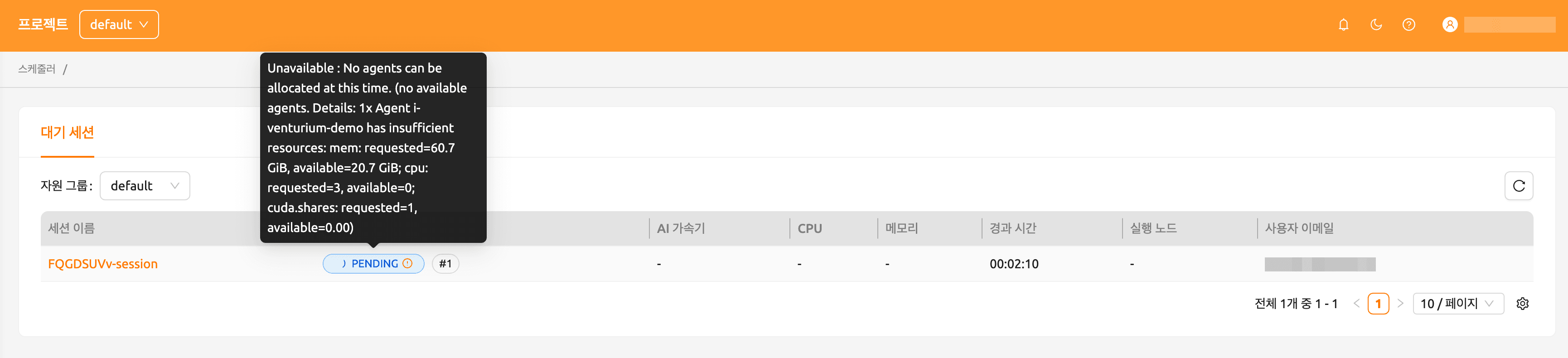
A new Scheduler page is now available in the admin menu. It displays all pending sessions and their queue positions, allowing administrators to monitor resource waiting states with full transparency.
5. Improved Resource Group Management
With the addition of the scheduler page, resource group settings also receive major upgrades. New Scheduler Options give users and admins better control over session behavior:
- Allowed Session Types: Restrict which session types (Interactive, Batch, Inference) are permitted within each group.
- Pending timeout: Automatically cancel sessions that remain pending longer than the defined limit. Setting this to 0 disables the timeout.
- **Retries to skip pending session: Define how many retries occur before skipping stuck pending sessions, preventing head‑of‑line blocking (HOL). Defaults to 3 unless overridden in etcd.
| Page \ Role | User | Admin |
|---|---|---|
| Start | ○ | ○ |
| Dashboard | ○ | ○ |
| Data | ○ | ○ |
| Sessions | ○ | ○ |
| Serving | ○ | ○ |
| Import & Run | ○ | ○ |
| My Environments | ○ | ○ |
| Chat | ○ | ○ |
| Model Store | ○ | ○ |
| Agent Summary | ○ | ○ |
| Statistics | ○ | ○ |
| Users* | X | ○ |
| Environments* | X | ○ |
| Scheduler* | X | ○ |
| Resource Policy* | X | ○ |
| Resources* | X | ○ |
| Configurations* | X | ○ |
| Maintenance* | X | ○ |
| Information* | X | ○ |
** Admin‑only menus.
6. Improved Session Detail Panel
The session detail page now loads significantly faster thanks to optimized data fetching and caching.
7. Core System Updates and Enhancements
- Configuration Management Overhaul: Unified configuration validation based on Pydantic schemas across Manager, Agent, and Webserver; added GraphQL ServiceConfig API and CLI tools.
- Scheduling & Orchestration: Newly updated Sokovan Orchestrator with distributed lock scheduling and automatic session sweeping for improved reliability.
- Observability & Monitoring: Full OpenTelemetry integration, etcd service discovery for Prometheus, event logging system, and health‑check endpoints.
- Artifact & Reservoir Registries: Expanded support for HuggingFace models, version‑controlled Artifacts, and synchronized multi‑manager registries.
- RBAC Expansion: New relational schema for fine‑grained access control; unified VFolder permissions under RBAC.
- Model Service Upgrades: AppProxy‑based health checks, Redis route synchronization, TOML‑based service definitions, and SDK runtime variants.
- Security & Performance: PBKDF2‑SHA3‑256 password hashing, TOTP 2FA for anonymous users, and RBAC verification for VFolder operations. Also result in 15 % faster startup, NUMA‑aware scheduling, and cached resource presets further boost efficiency.
- Developer Tools: New all-smi GPU monitor, backend.ai events --wait for automation, and TRACE log level for deep debugging.
8. Bug Fixes and Stability Improvements
System stability has been improved across session management, Docker/Networking operations, API permissions, proxy health checks, and model service token handling. A major fix ensures that storage proxy outages no longer affect unrelated operations, maintaining reliability under all conditions.
Backend.AI will continue to make your AI research and development more convenient and secure.
Make your AI accessible with Backend.AI!
The full release notes for Backend.AI 25.15 (LTS) can be found on the Release History page.
Person in charge of this document: Jinho Heo, Youngsook Song, Sujin Kim, Hyeokjin Kim
